Top Navigation Bar PLUS
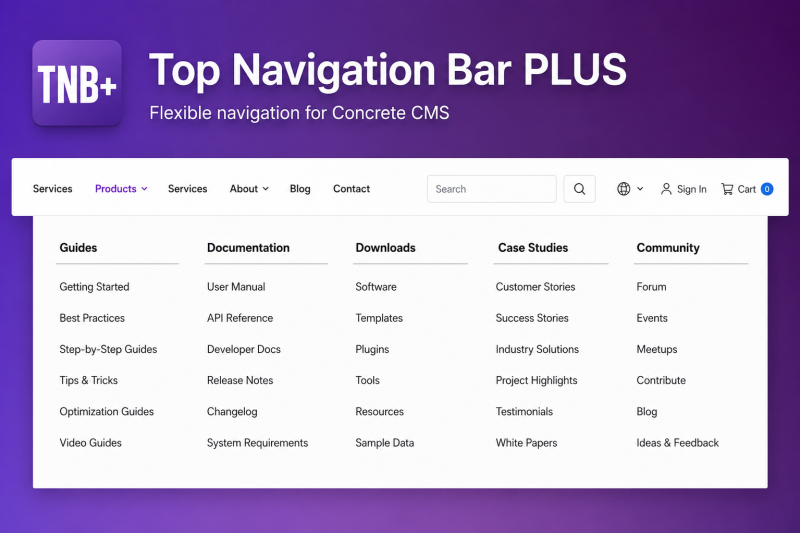


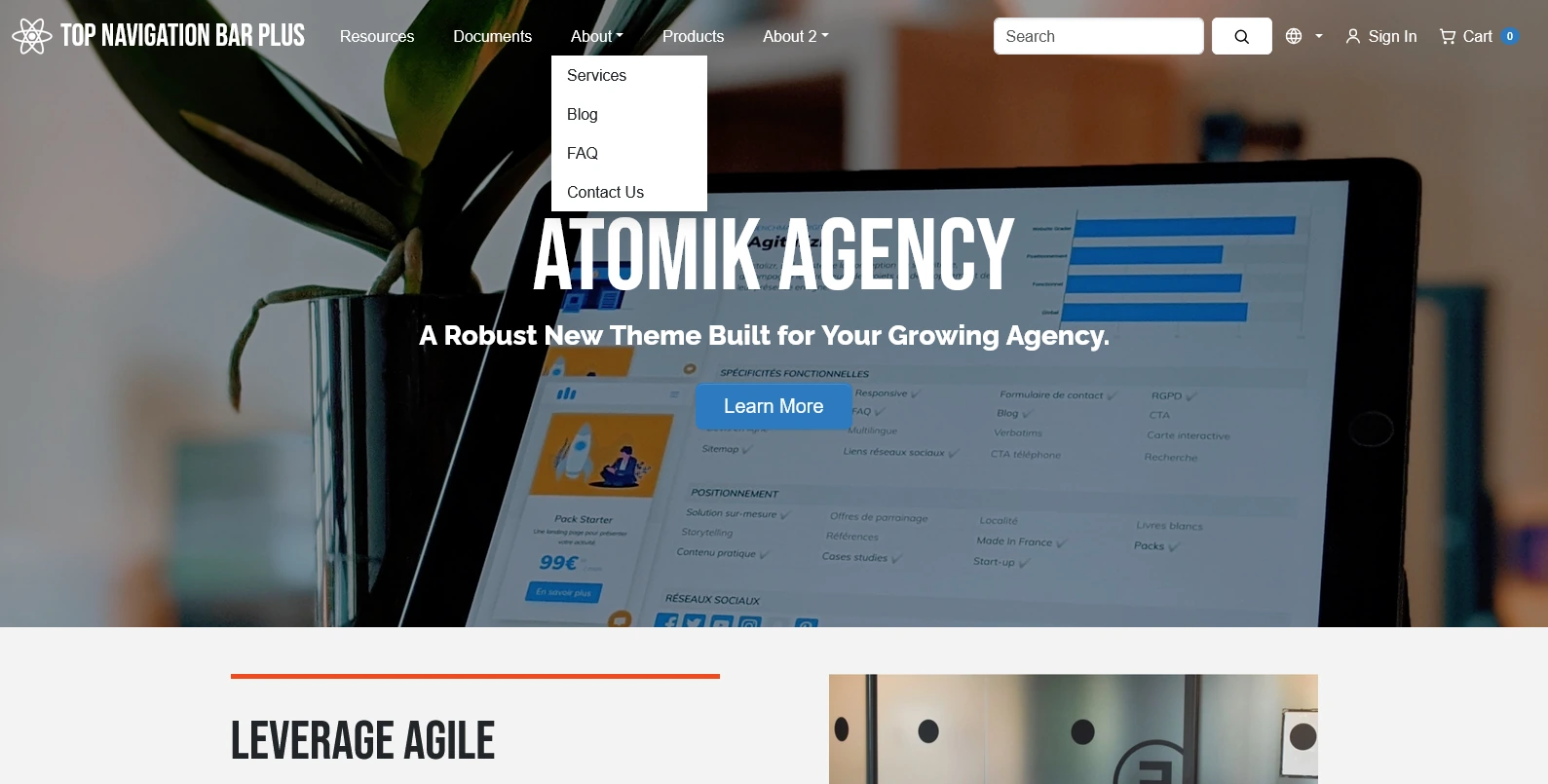

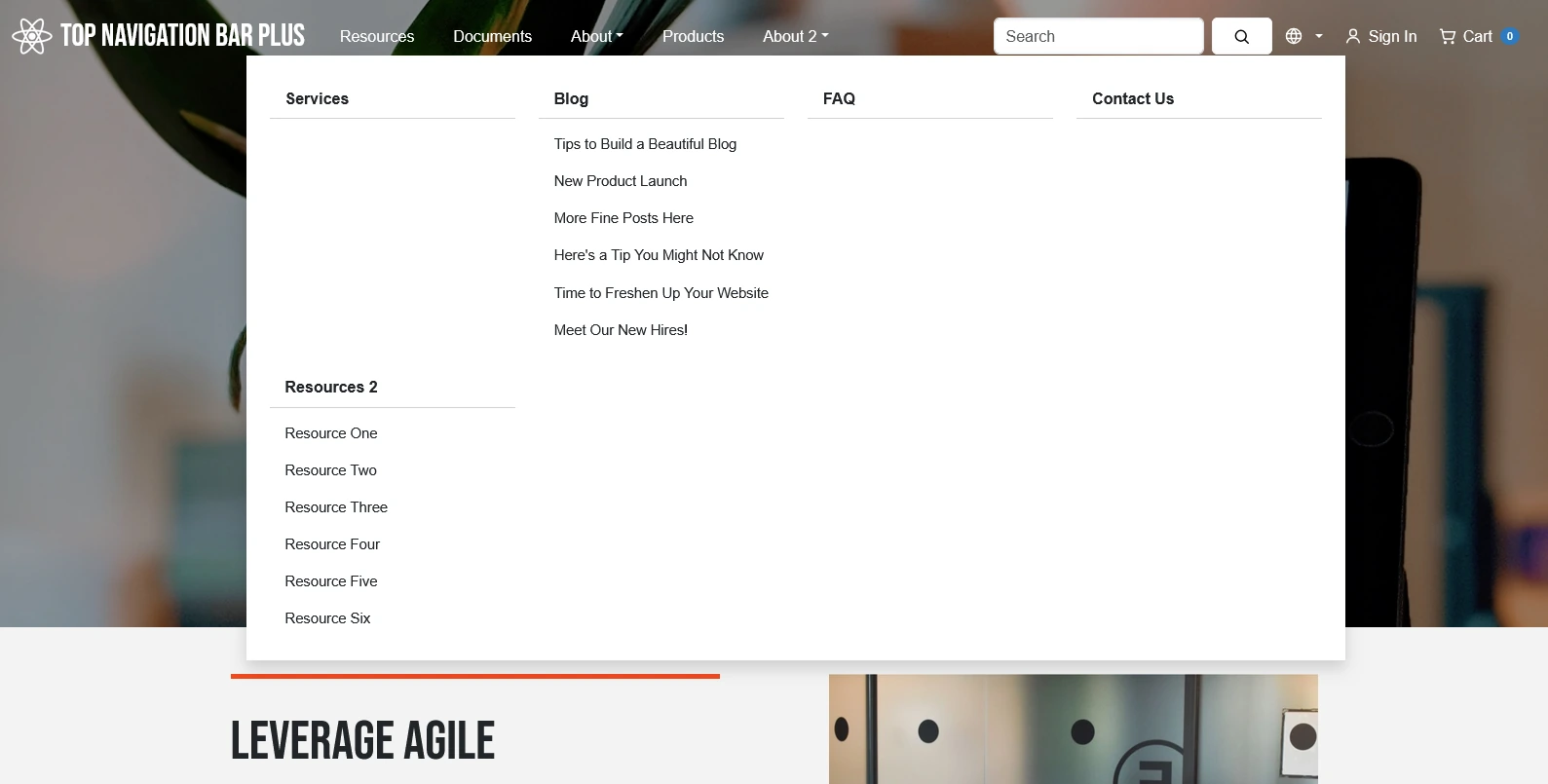
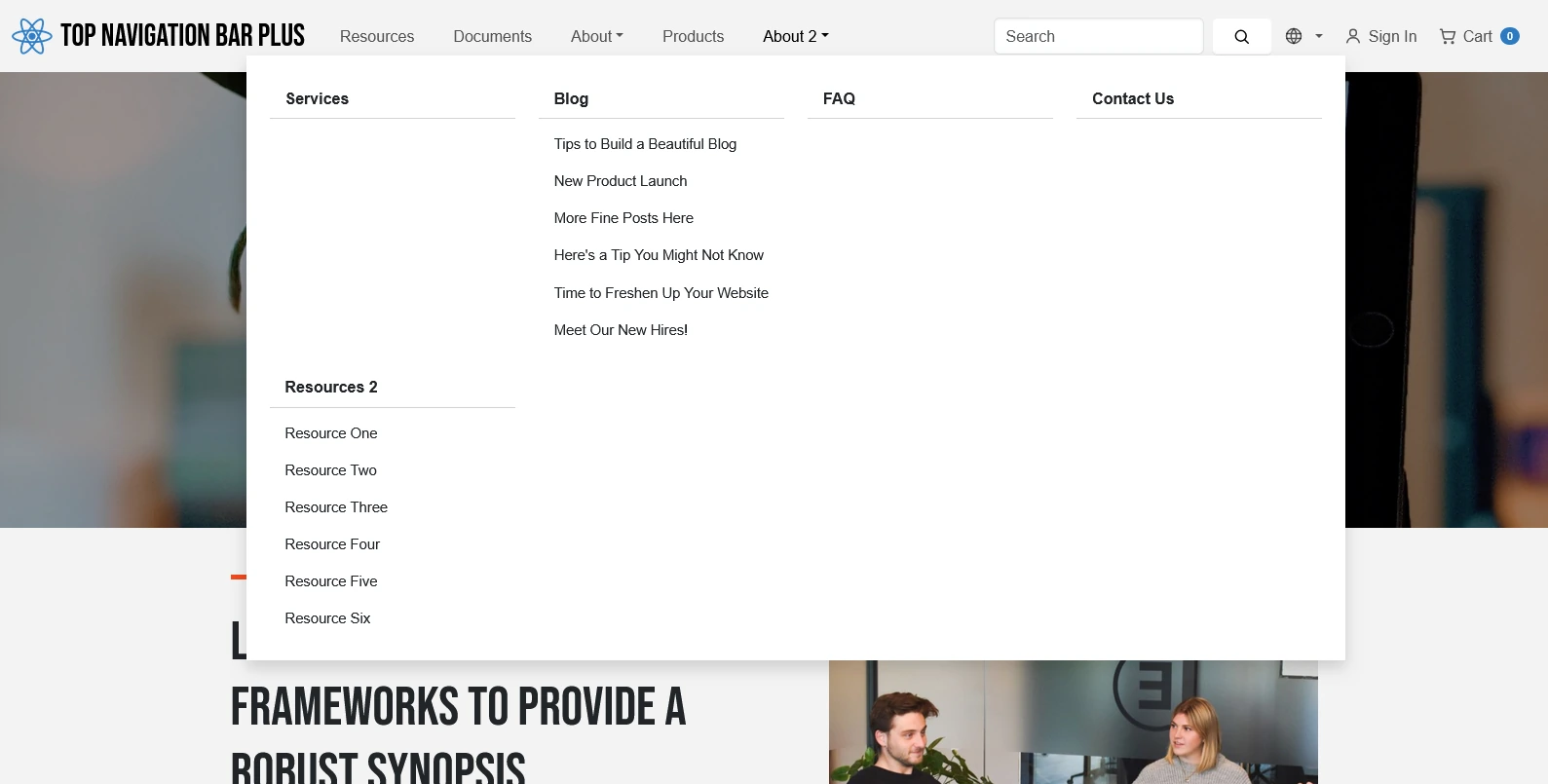
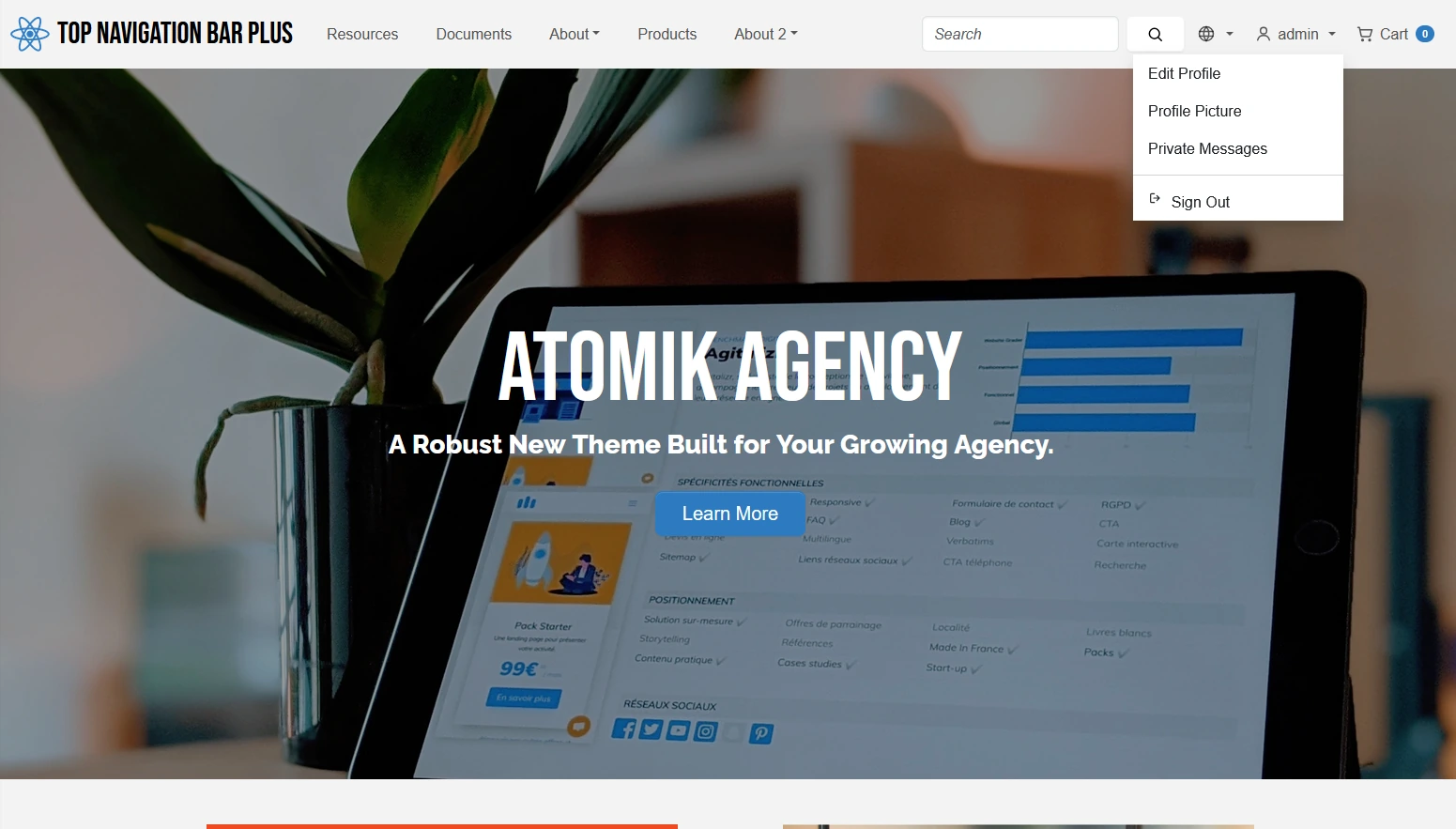
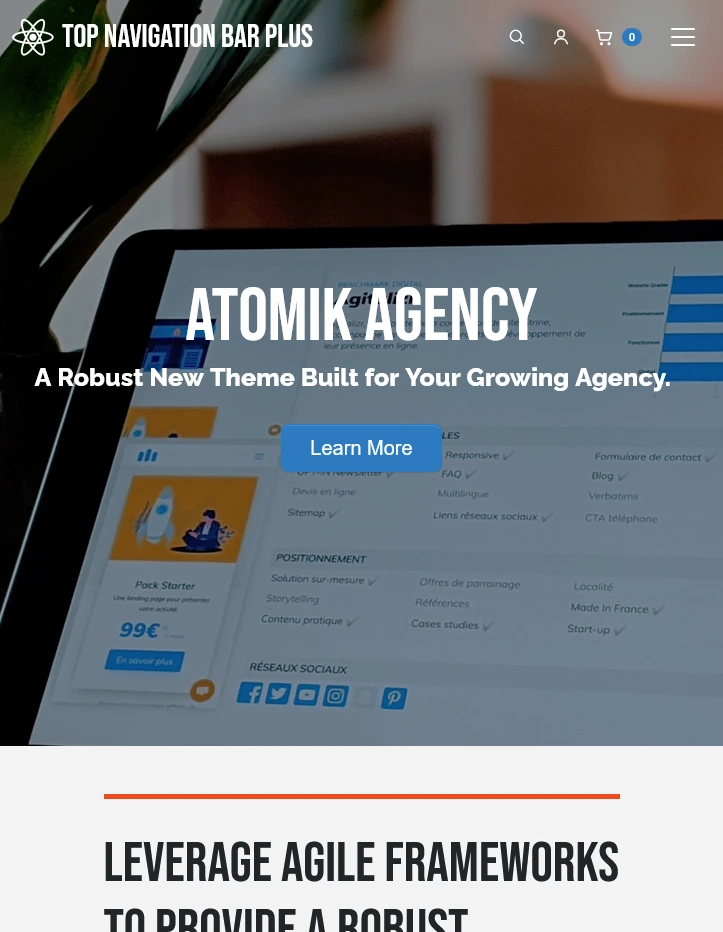
Build a responsive Concrete CMS header with theme-aware dropdowns, flexible mega menus, active-path highlighting, search, language switching, account access, and optional Community Store cart integration.
Top Navigation Bar PLUS provides a configurable and responsive navigation header for Concrete CMS 9.5 and newer.
The add-on extends the capabilities of the standard top navigation concept while preserving Concrete CMS and frontend-theme conventions. It combines branding, page navigation, dropdowns, configurable mega menus, search, language switching, account access, and optional Community Store cart information in one block.
Top Navigation Bar PLUS does not modify Concrete CMS core files. Add the block to a page area or global stack and configure the complete header through its structured block settings.
Main Features
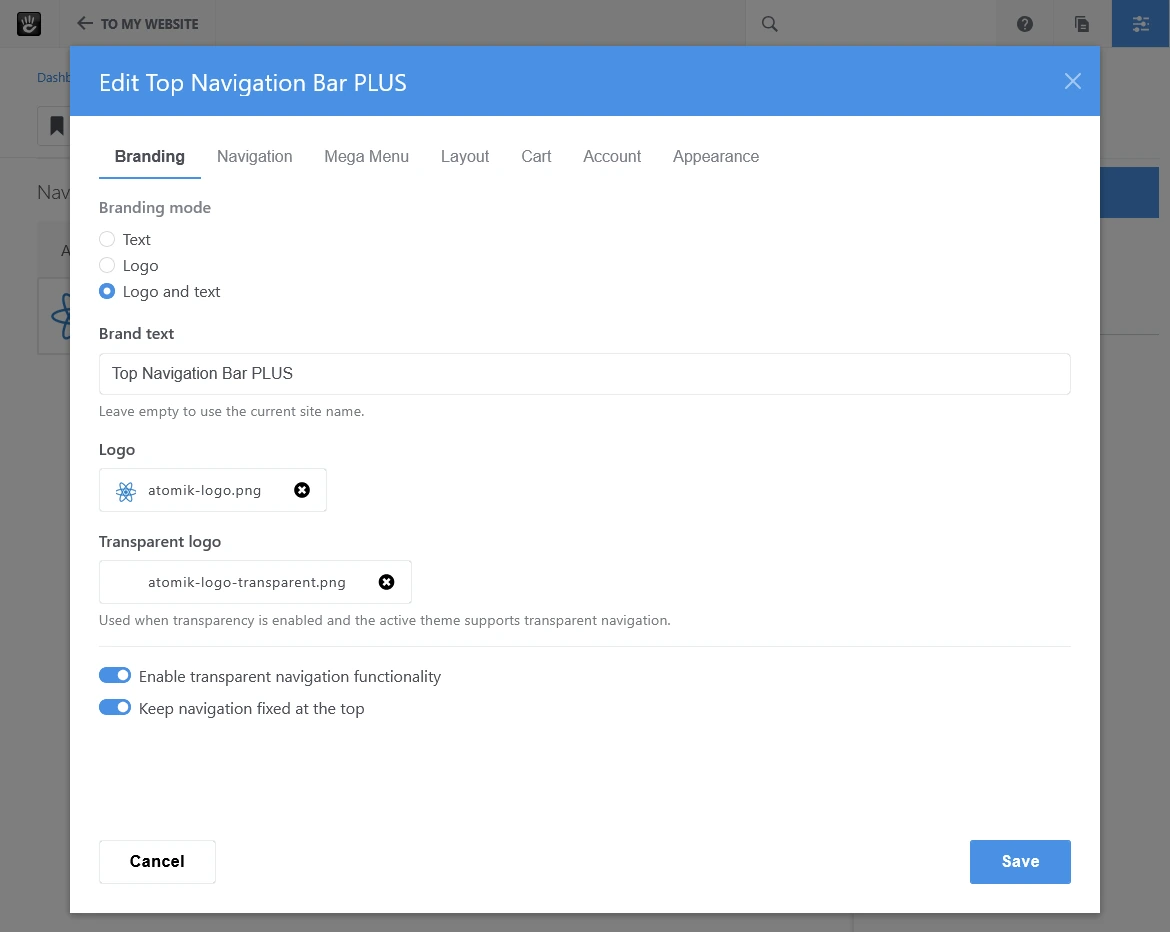
- Text branding, logo branding, or logo and text
- Alternative logo for transparent navigation
- Optional transparent navigation
- Optional sticky navigation
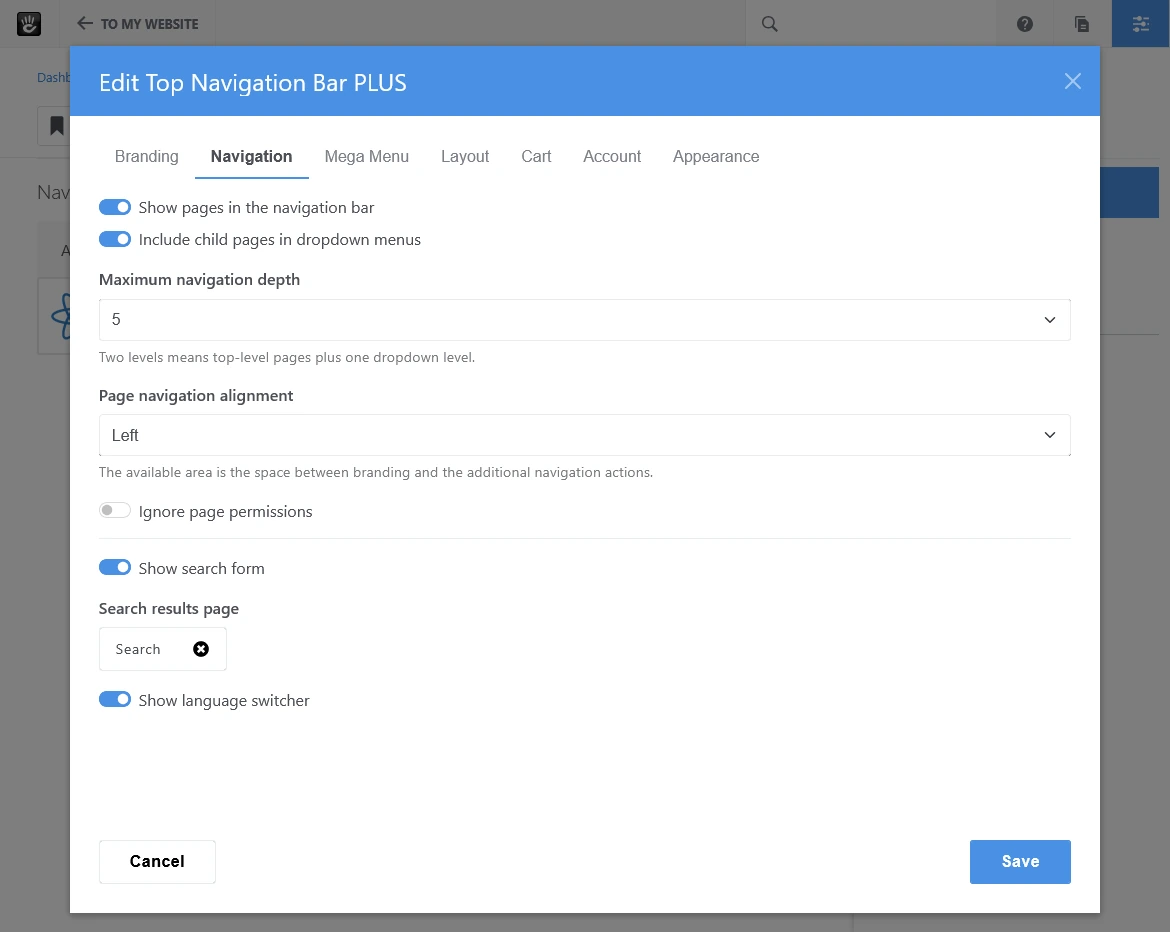
- Automatic page navigation with configurable depth
- Left-aligned, centered, or right-aligned navigation links
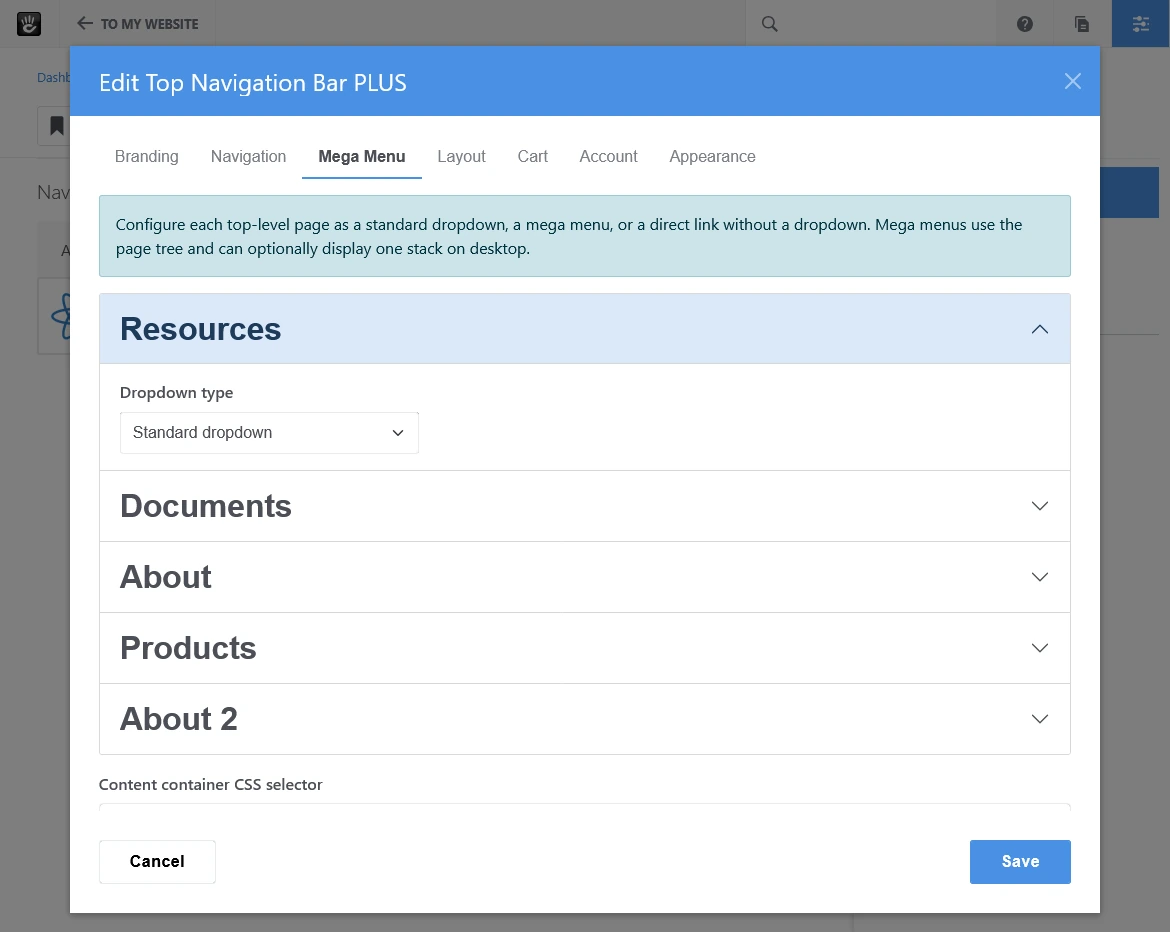
- Standard dropdowns, mega menus, or direct links per top-level page
- Theme-aware dropdown, hover, focus, and active states
- Complete active-path highlighting
- Responsive desktop and mobile navigation
- Search integration
- Concrete CMS language switcher integration
- Guest login action
- Registered-user account dropdown
- Optional Community Store cart integration
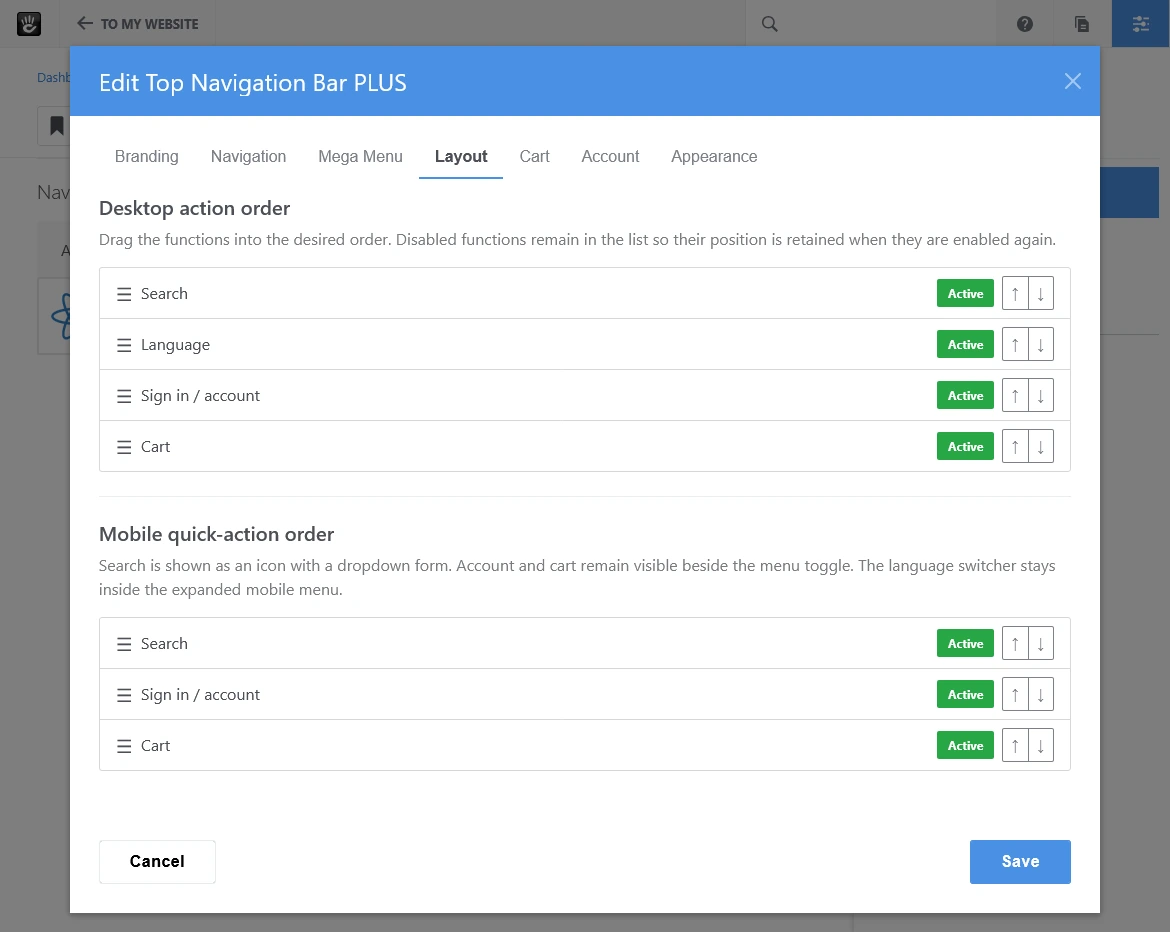
- Configurable desktop and mobile action order
- English source interface
- German translation included
Flexible Mega Menus
Each top-level page can be configured independently as:
- A direct navigation link
- A standard dropdown
- A multi-column mega menu
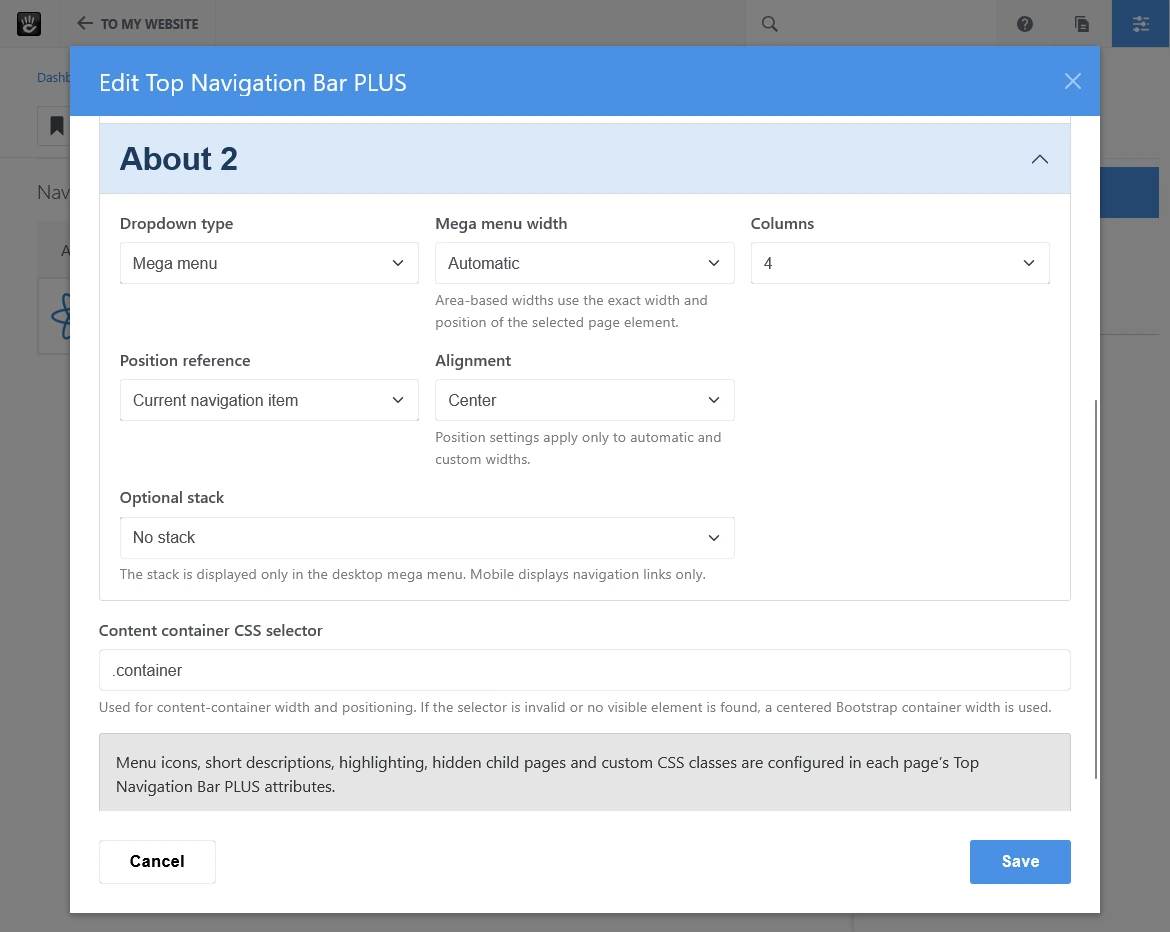
Mega menus support automatic or fixed two-to-four-column layouts. Page icons, descriptions, highlighted entries, custom CSS classes, hidden child navigation, and an optional Concrete CMS stack can be used to create structured and informative navigation panels.
The optional stack is displayed on desktop only. On mobile devices, mega-menu navigation uses the same nested dropdown behavior and theme styling as regular page dropdowns.
Mega Menu Width and Positioning
Mega-menu width and position are configured independently.
Available width modes are:
- Automatic
- Navigation links area
- Navigation bar
- Content container
- Full browser width
- Custom width
Automatic and custom-width menus can be positioned relative to:
- The browser window
- The navigation bar
- The navigation links area
- The content container
- The current navigation item
Each reference supports start, center, or end alignment.
Menus are automatically constrained to the visible browser area. A configurable CSS selector can be used to identify the active theme's content container.
Theme-Aware Presentation
Standard dropdowns remain controlled by the active frontend theme.
Mega-menu containers and links use the same fundamental dropdown classes and visual states. This allows compatible themes to control colors, borders, shadows, hover states, focus states, and active states without the add-on imposing a fixed visual design.
Top Navigation Bar PLUS is optimized for the Concrete CMS Atomik theme and is designed for Bootstrap 5-compatible frontend themes.
Active Navigation Path
The current page and every parent page in its navigation path are visibly marked.
For example, when a visitor opens a blog article, the article, its Blog parent, and the corresponding top-level navigation item can all receive the active state.
Only the currently displayed page receives aria-current="page". Parent pages remain visually highlighted without incorrectly being identified as the current page.
This behavior applies to:
- Top-level navigation links
- Standard dropdowns
- Mega menus
- Nested mobile navigation
Branding and Layout
The header can display:
- Branding text
- A logo
- A logo with branding text
- An alternative logo for transparent navigation
Page navigation can be aligned to the left, center, or right. Search, language, account, and cart actions can be enabled independently and arranged in a configurable desktop order.
A separate quick-action order is available for mobile devices.
Search and Language Switching
The optional search action can display a full search field on desktop and a compact search control on mobile.
The language switcher uses Concrete CMS multilingual site sections and links visitors to the corresponding page in another language whenever one is available.
Account Navigation
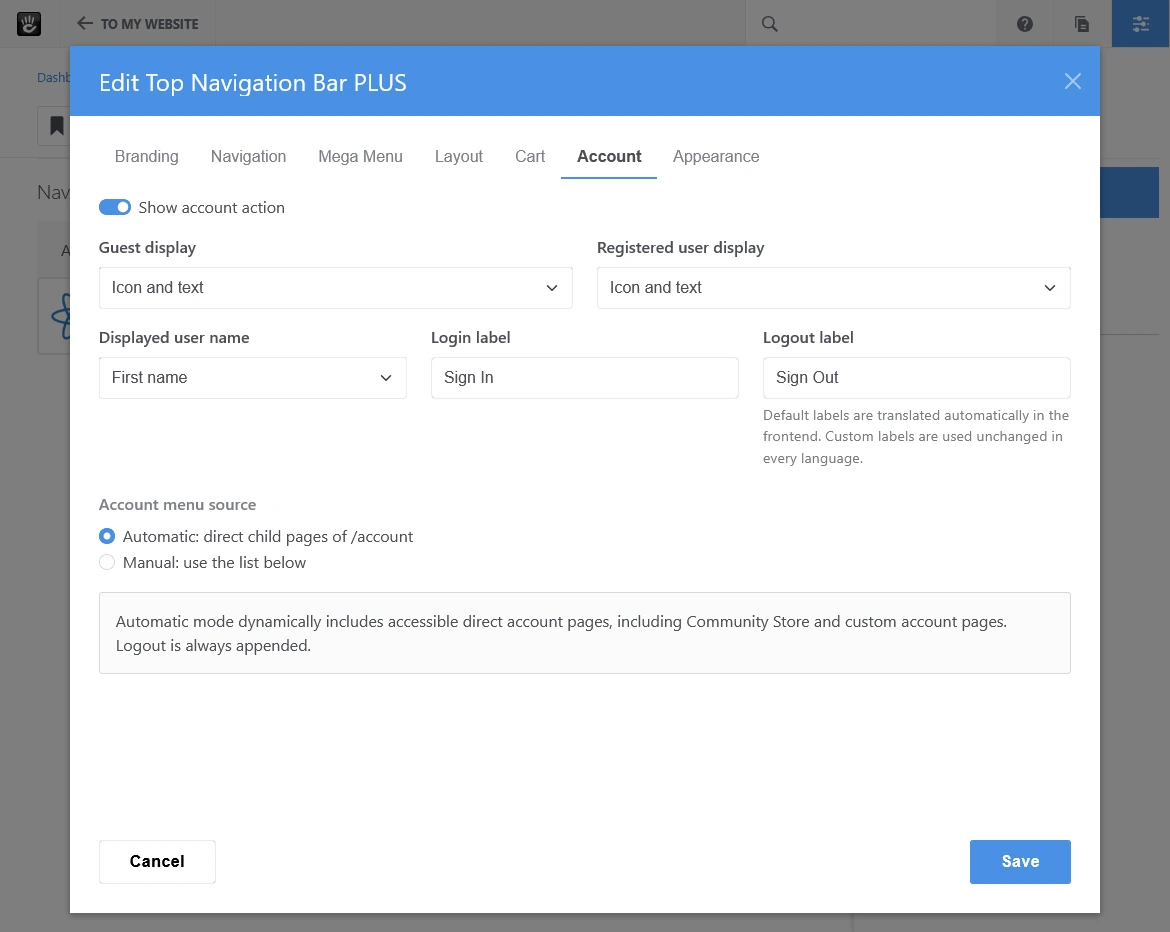
Guest users can be shown a configurable login action.
Registered users can receive an account dropdown with:
- An icon or user avatar
- Username
- First name
- Last name
- Full name
- Automatically detected account pages
- Manually configured account links
- A secure logout action
Automatic account navigation uses accessible direct child pages below /account. Manual mode supports internal and external links, optional icons, custom labels, and same-window or new-window targets.
Community Store Integration
Community Store integration is optional.
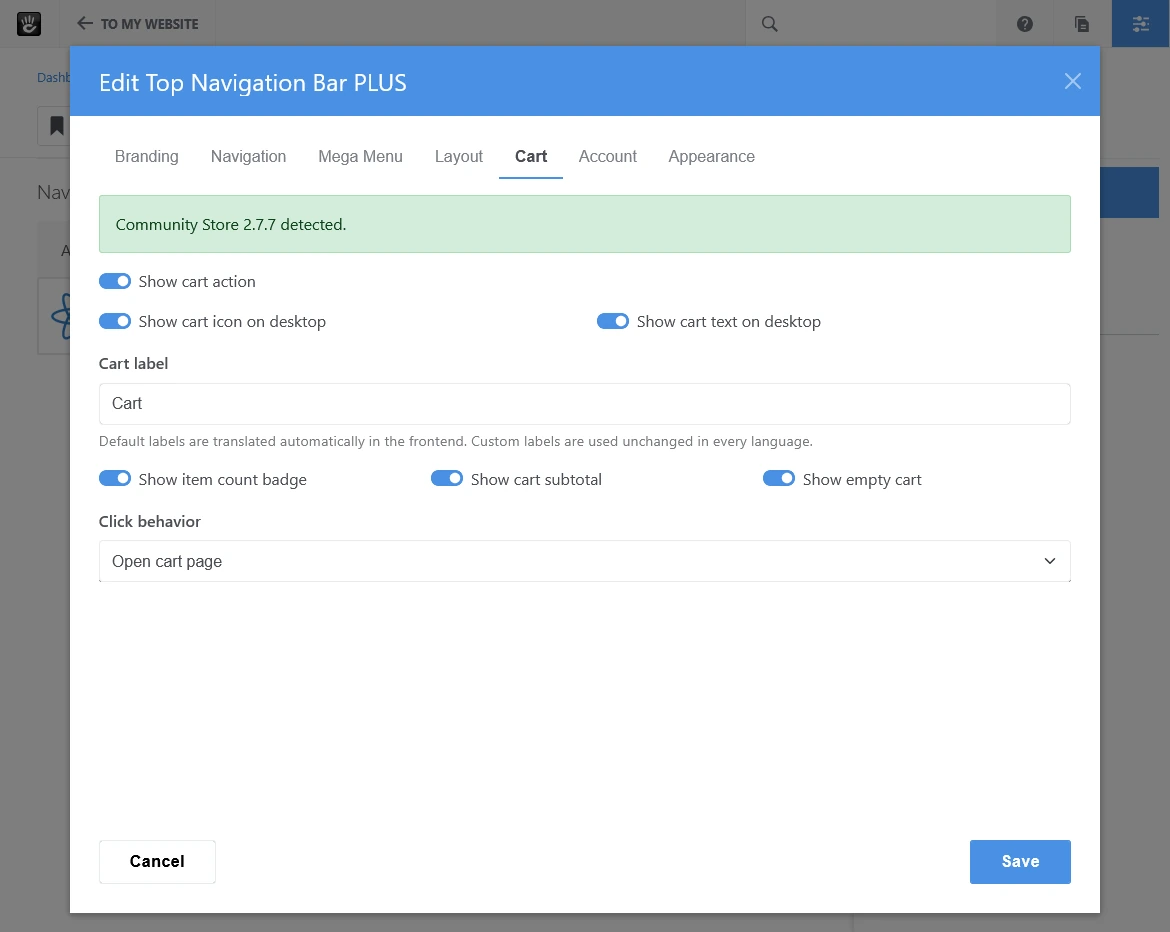
When Community Store 2.7 or newer is installed and available, the navigation can display:
- A cart icon
- A translated cart label
- The current item count
- An item-count badge
- The current subtotal
- A link to the cart page
- Optional popup-cart behavior
- Live cart updates
The add-on installs and operates without Community Store. Navigation, language, account, branding, and mega-menu features remain available when Community Store is not installed.
Multilingual Behavior
English is the source language and a German translation is included.
Built-in interface labels are translated according to the active site locale. Default labels such as Cart, Sign In, and Sign Out are translated at render time.
Page names and automatic account entries are loaded from the active multilingual page tree.
Custom labels entered in block settings are content values and remain unchanged across languages. Localized block instances can be used when custom labels must differ by language.
Security and Permissions
The navigation respects Concrete CMS page permissions and the standard navigation attributes:
- Exclude from Nav
- Exclude Subpages from Nav
New-window links receive rel="noopener noreferrer". Unsafe manually entered URL schemes are rejected. Logout uses Concrete CMS token protection.
Requirements
- Concrete CMS 9.5.0 or newer within the 9.x release line
- A Bootstrap 5-compatible frontend theme
- Community Store 2.7.0 or newer only when cart integration is required
Transparent and sticky presentation may depend on the structure and styling of the active frontend theme.
License
Top Navigation Bar PLUS is a free extension released under the MIT License.
Copyright (c) 2026 Daniel Lennartz alias LennDa
Also Check Out

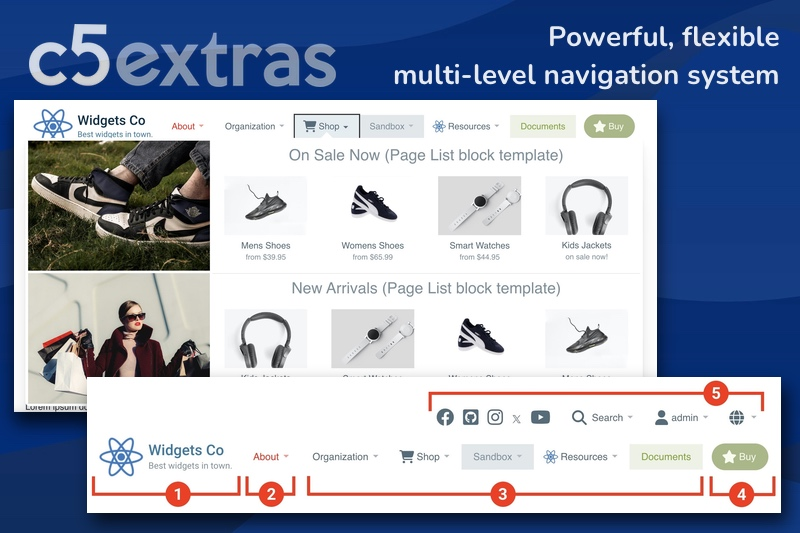
Mega Menu
Create professional, mobile-ready navigation menus without touching code or hiring a developer. From simple dropdowns to feature-rich mega menus, the intuitive point-and-click interface gives you complete control over styling and layout.
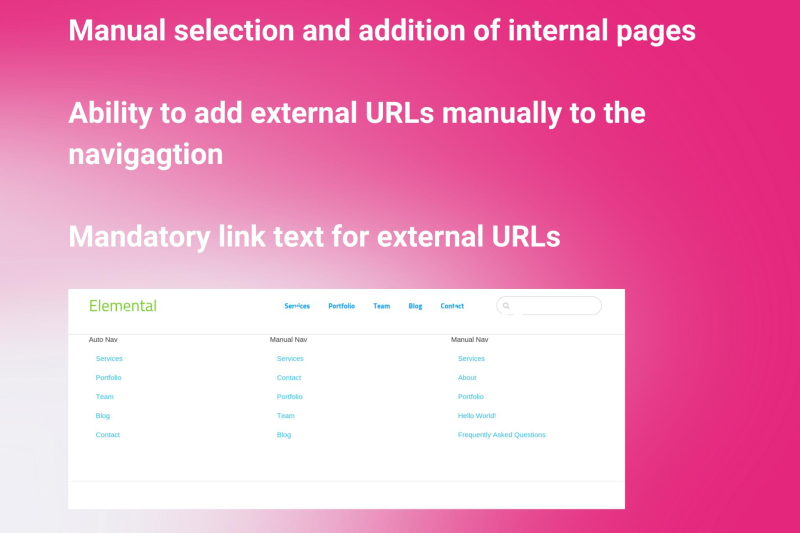
Manual Nav
Manual Nav enables you to pick and choose the pages that you want to show on the navigation.
Author

Also Check Out
Mega Menu
Create professional, mobile-ready navigation menus without touching code or hiring a developer. From simple dropdowns to feature-rich mega menus, the intuitive point-and-click interface gives you complete control over styling and layout.
Manual Nav
Manual Nav enables you to pick and choose the pages that you want to show on the navigation.