Dashboard Favorites Manager

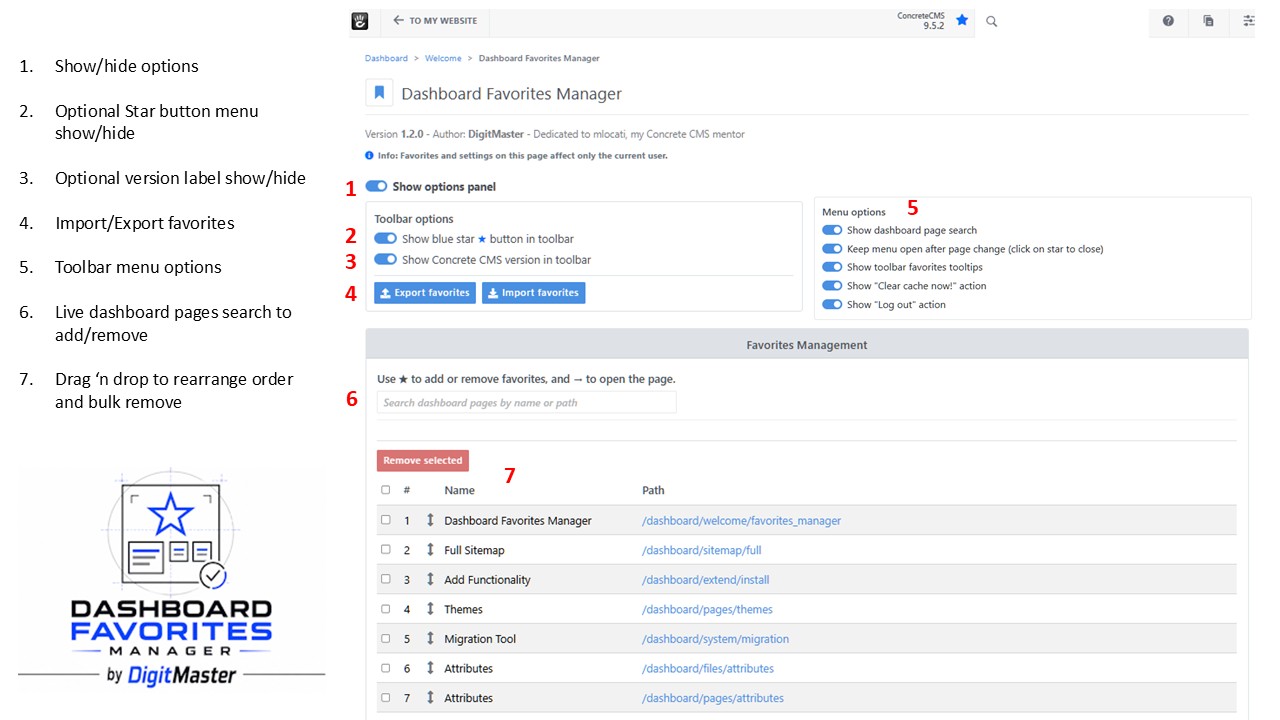
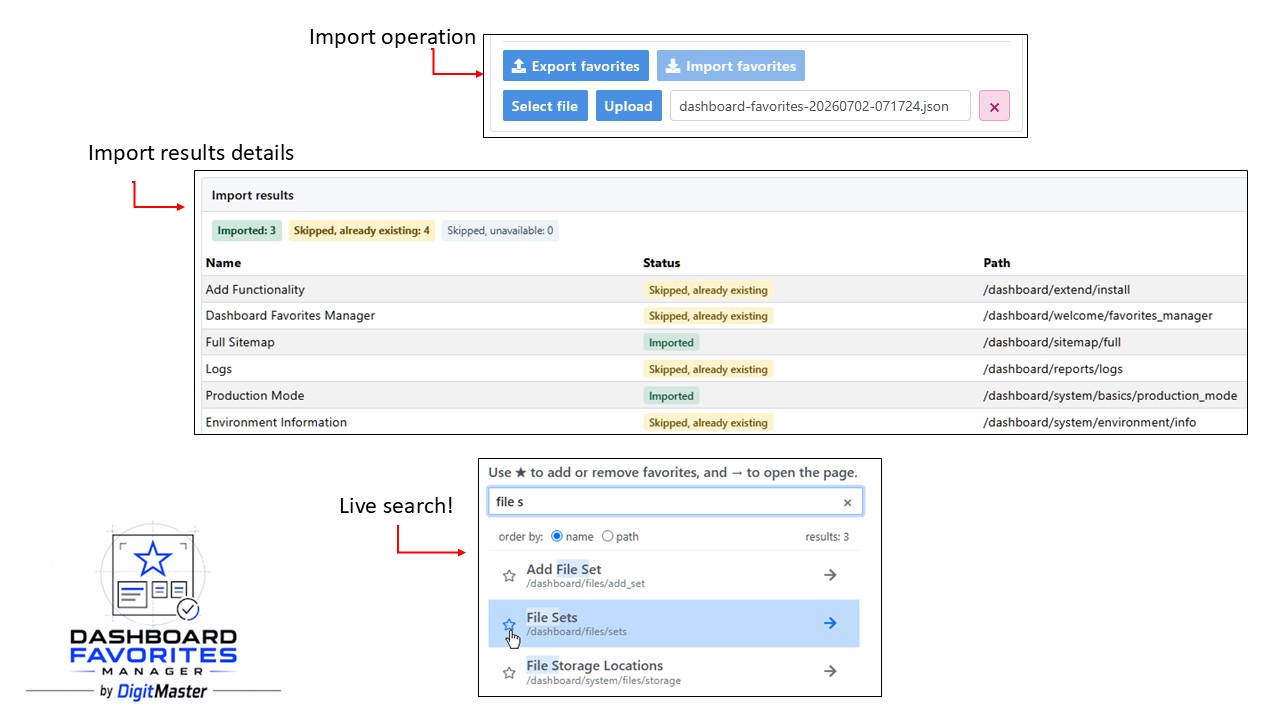
Manage your Concrete CMS dashboard favorites with more control and faster access. Adds a dashboard page to add, remove, live search, reorder, import, and export favorites, plus an optional toolbar star button for quick access.
Compatible with Concrete CMS 9.2.0 and later
Current version: 1.2.4 (7th September 2026)
Author: Digitmaster
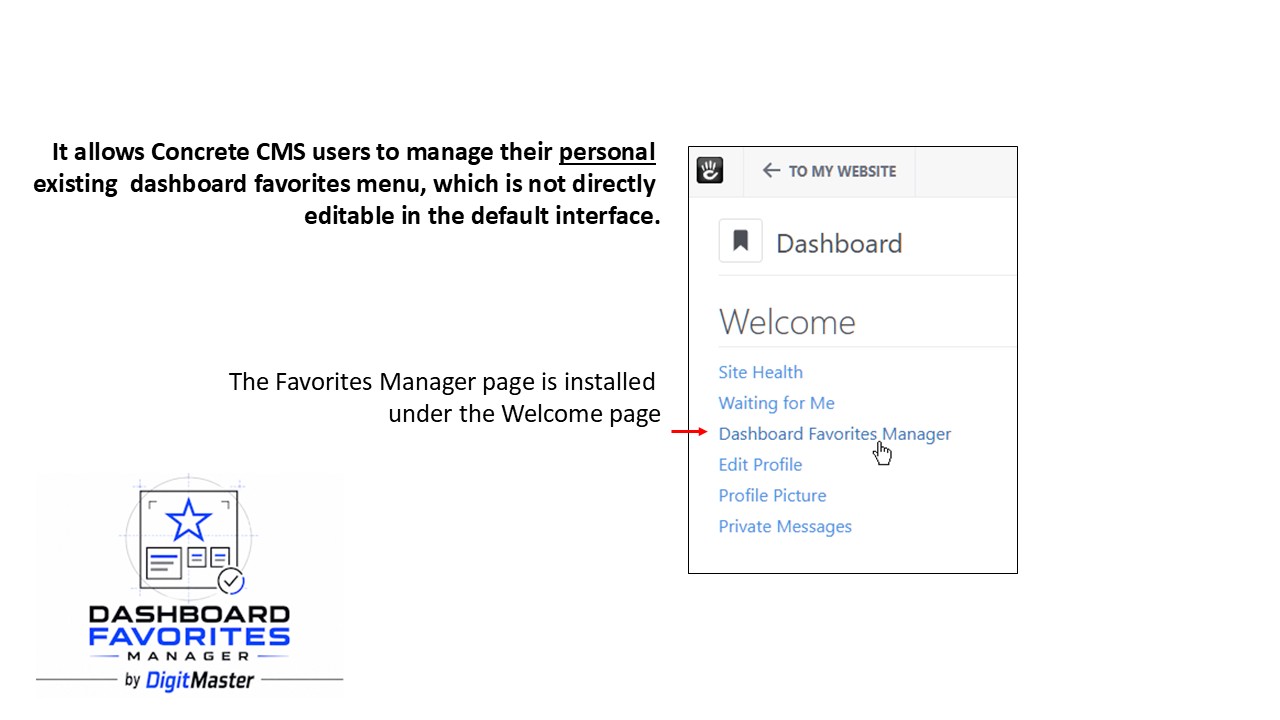
Dashboard Favorites Manager helps Concrete CMS users to manage the existing dashboard favorites menu, which is not directly editable in the default interface.
Features
!! New in 1.2.4:
- Added a dedicated "Open in new tab" action for every toolbar favorite
- Added an option to keep the favorites menu open after page changes
- Added an option to enable or disable toolbar favorites tooltips
- Improved light and dark theme support throughout the favorites manager and toolbar favorites menu
- Restyled and unified colors, search results, highlights, actions, and interaction states with the Concrete CMS interface
Favorites management
- Dedicated dashboard page to manage Concrete CMS dashboard favorites
- Per-user favorites and settings
- Add or remove dashboard pages from favorites
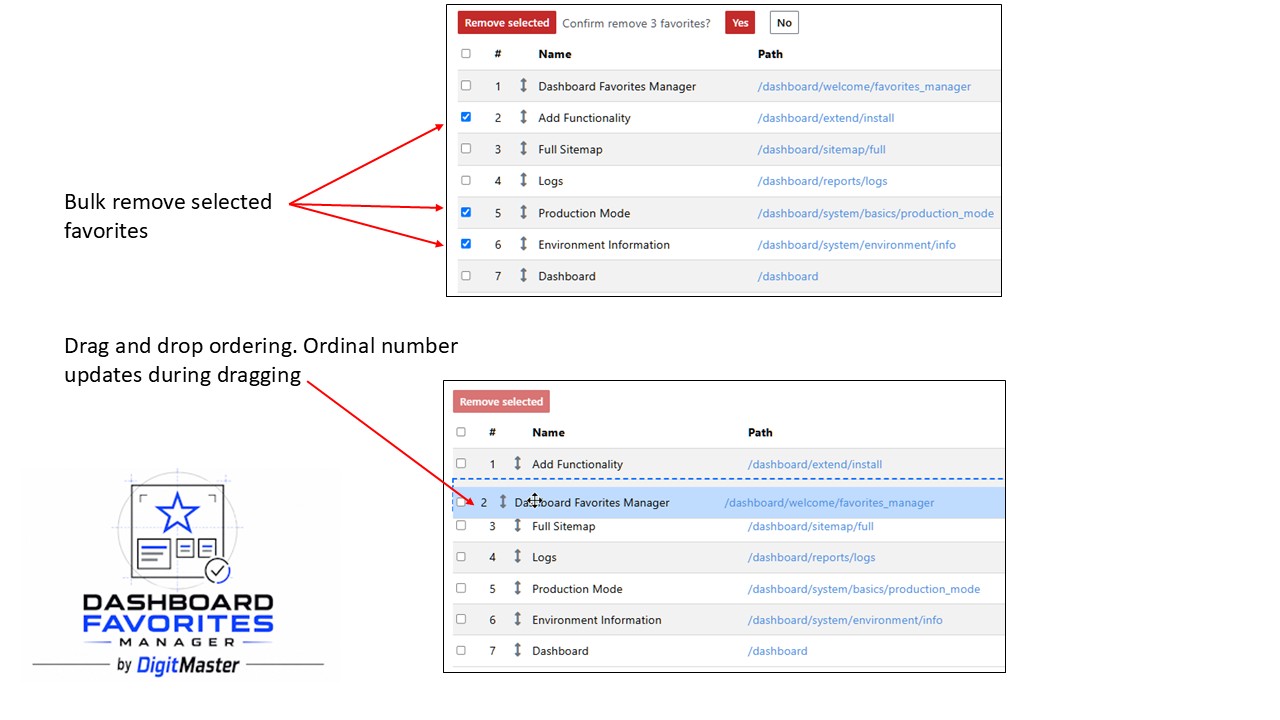
- Reorder favorites using drag and drop on desktop or up/down controls on smaller screens
- Bulk-remove favorites
- AJAX updates for favorite toggles, reordering, bulk removal, and toolbar/menu synchronization
Dashboard page search
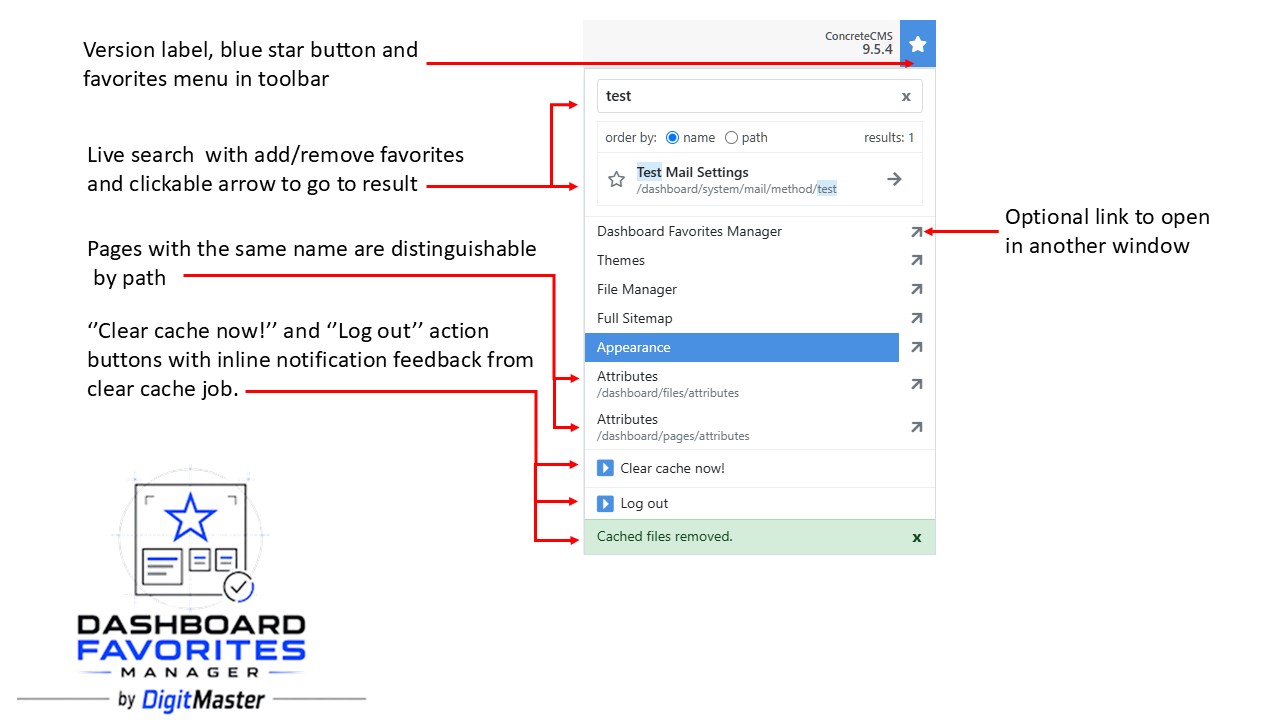
- Live dashboard page search in both the manager and toolbar favorites menu
- Direct add/remove favorite actions from search results
- Dedicated links to open dashboard pages from search results
- Controls for ordering dashboard page search results
- Per-user setting to show or hide search in the toolbar favorites menu
Toolbar and favorites menu
- Optional toolbar star button for quick access to favorites
- Compact mobile favorites toolbar button
- Collapsible options panel for toolbar and menu settings
- Optional Concrete CMS version label in the toolbar, displayed inside the favorites menu on mobile devices
- Action links with play icons
- Dashboard-only favorite links, with unsafe or non-navigable targets filtered out
- Optional “Log out” action inside the toolbar favorites menu
Cache clearing and feedback
- Optional “Clear cache now!” action inside the toolbar favorites menu
- Background cache clearing with no redirect to the Clear Cache page, including feedback response
Import and export
- Export and import favorites to and from JSON
- Import results showing imported and skipped items
Reliability
- Automatic normalization and repair of malformed dashboard favorite data where possible
Please write me a message to report any issues. I am happy to provide support.
Repo
https://github.com/concrete5-community/dashboard_favorites_manager
Also Check Out
Block Designer Pro
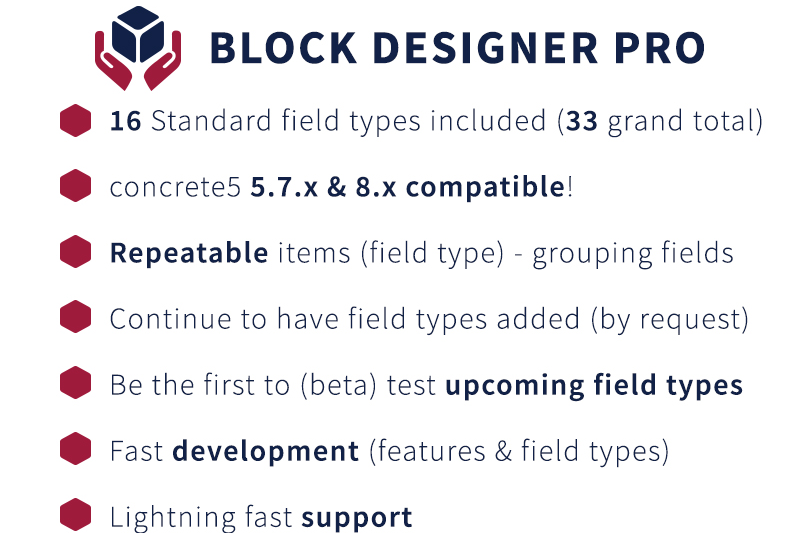
This Pro Add-On will continue to have field types added (also upon request), to be used by Block Designer (base). Create even more awesome blocks with ConcreteCMS.

Author

Also Check Out
Block Designer Pro
This Pro Add-On will continue to have field types added (also upon request), to be used by Block Designer (base). Create even more awesome blocks with ConcreteCMS.