HTMx integration for Concrete CMS
Concrete CMS integration for HTMx. The package will be useful to developers of other add-ons and can be used to effectively use HTMx mechanisms in the Concrete CMS ecosystem.
Package HTMx for Concrete CMS
Concrete CMS integration for htmx.
Usage
Add necessary assets
To work successfully, you need to add htmx.js. In the case of the block controller, this is done in the registerViewAssets method, in the SinglePage controller in the on_start or view method.
You need to add the following directive:
$this->requireAsset('javascript', 'htmx');
An example for a block controller:
/**
 * Method for adding assets.
 */
public function registerViewAssets($outputContent = '')
{
	$this->requireAsset('javascript', 'htmx');
}
Request
You can resolve an instance of the HtmxRequest for reading the htmx-specific request headers.
use HTMx\Http\HtmxRequest;

public function action()
{
    $request = HtmxRequest::getInstance();

    // always true if the request is performed by Htmx
    $request->isHtmxRequest();
    // indicates that the request is via an element using hx-boost
    $request->isBoosted();
    // the current URL of the browser
    $request->getCurrentUrl();
    // true if the request is for history restoration after a miss in the local history cache
    $request->isHistoryRestoreRequest()
    // the user response to an hx-prompt
    $request->getPromptResponse();
    // 	the id of the target element if it exists
    $request->getTarget();
    // the name of the triggered element if it exists
    $request->getTriggerName();
    // the id of the triggered element if it exists
    $request->getTriggerId();
}
Response
HtmxResponseClientRedirect
htmx can trigger a client side redirect when it receives a response with the HX-Redirect header. The HtmxResponseClientRedirect makes it easy to trigger such redirects.
use HTMx\Http\HtmxResponseClientRedirect;

public function action(): HtmxResponseClientRedirect
{
    return new HtmxResponseClientRedirect('/somewhere-else');
}
HtmxResponseClientRefresh
htmx will trigger a page reload when it receives a response with the HX-Refresh header. HtmxResponseClientRefresh is a custom response class that allows you to send such a response. It takes no arguments, since htmx ignores any content.
use HTMx\Http\HtmxResponseClientRefresh;

public function action(): HtmxResponseClientRefresh
{
    return new HtmxResponseClientRefresh();
}
HtmxResponseStopPolling
When using a polling trigger, htmx will stop polling when it encounters a response with the special HTTP status code 286. HtmxResponseStopPolling is a custom response class with that status code.
use HTMx\Http\HtmxResponseStopPolling;

public function action(): HtmxResponseStopPolling
{
    return new HtmxResponseStopPolling();
}
HtmxResponse
For all the remaining available headers you can use the HtmxResponse class.
use HTMx\Http\HtmxResponse;

public function action(): HtmxResponse
{
    return (new HtmxResponse())
        ->location($location) // Allows you to do a client-side redirect that does not do a full page reload (also supports arrays)
        ->pushUrl($url) // pushes a new url into the history stack
        ->replaceUrl($url) // replaces the current URL in the location bar
        ->reswap($option) // Allows you to specify how the response will be swapped
        ->retarget($selector); // A CSS selector that updates the target of the content update to a different element on the page
}
Additionally, you can trigger client-side events using the addTrigger methods.
use HTMx\Http\HtmxResponse;

public function action(): HtmxResponse
{
    return (new HtmxResponse())
        ->addTrigger("myEvent")
        ->addTriggerAfterSettle("myEventAfterSettle")
        ->addTriggerAfterSwap("myEventAfterSwap");
});
If you want to pass details along with the event you can use the second argument to send a body. It supports strings or arrays.
use HTMx\Http\HtmxResponse;

public function action(): HtmxResponse
{
    return (new HtmxResponse()
        ->addTrigger("showMessage", "Here Is A Message")
        ->addTriggerAfterSettle("showAnotherMessage", [
            "level" => "info",
            "message" => "Here Is A Message"
        ]);
});
You can call those methods multiple times if you want to trigger multiple events.
use HTMx\Http\HtmxResponse;

public function action(): HtmxResponse
{
    return (new HtmxResponse())
        ->addTrigger("event1", "A Message")
        ->addTrigger("event2", "Another message");
});
Render Fragments
This library also provides a basic service to render fragments from elements.
use HTMx\Http\HtmxResponse;

public function action(): HtmxResponse
	$request = HtmxRequest::getInstance();
	return (new HtmxResponse())
		->renderFragment('forms/result', [
			'request' => $request->request()
		], 'htmx_example');
});
Examples
The package for Concrete CMS with usage examples can be obtained here
License
The MIT License (MIT). Please see License File for more information.
Also Check Out
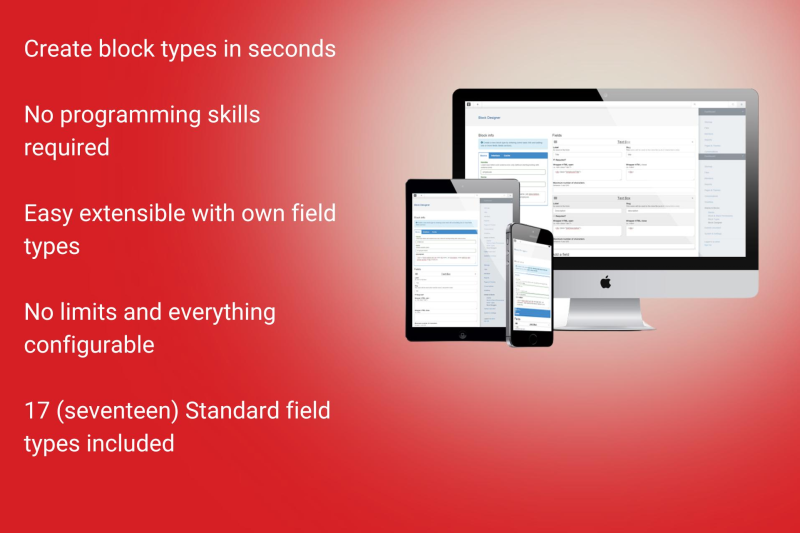
Block Designer
Design your own content blocks within a few clicks. Designing blocks was never easier or faster! Currently with 17 available field types.
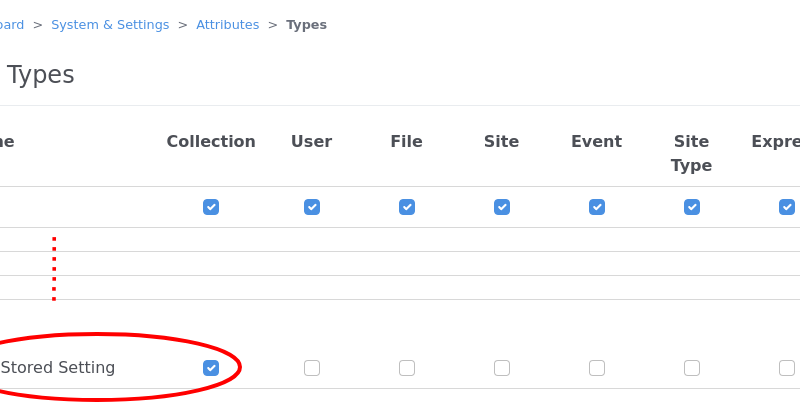
Universal Content Puller Attributes
Attributes to display and use content pulled with Universal Content Puller.
Author

Also Check Out
Block Designer
Design your own content blocks within a few clicks. Designing blocks was never easier or faster! Currently with 17 available field types.
Universal Content Puller Attributes
Attributes to display and use content pulled with Universal Content Puller.