Focuspoint Media

Responsive focus-point images, galleries and sliders for Concrete CMS. Keep the important part of every image visible on every screen.
Image with Focuspoint
Take control over how your images are cropped and displayed in Concrete CMS.
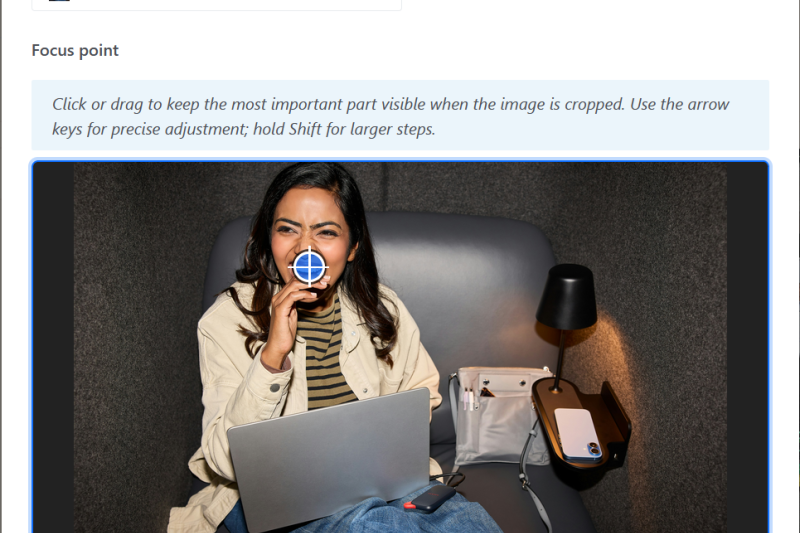
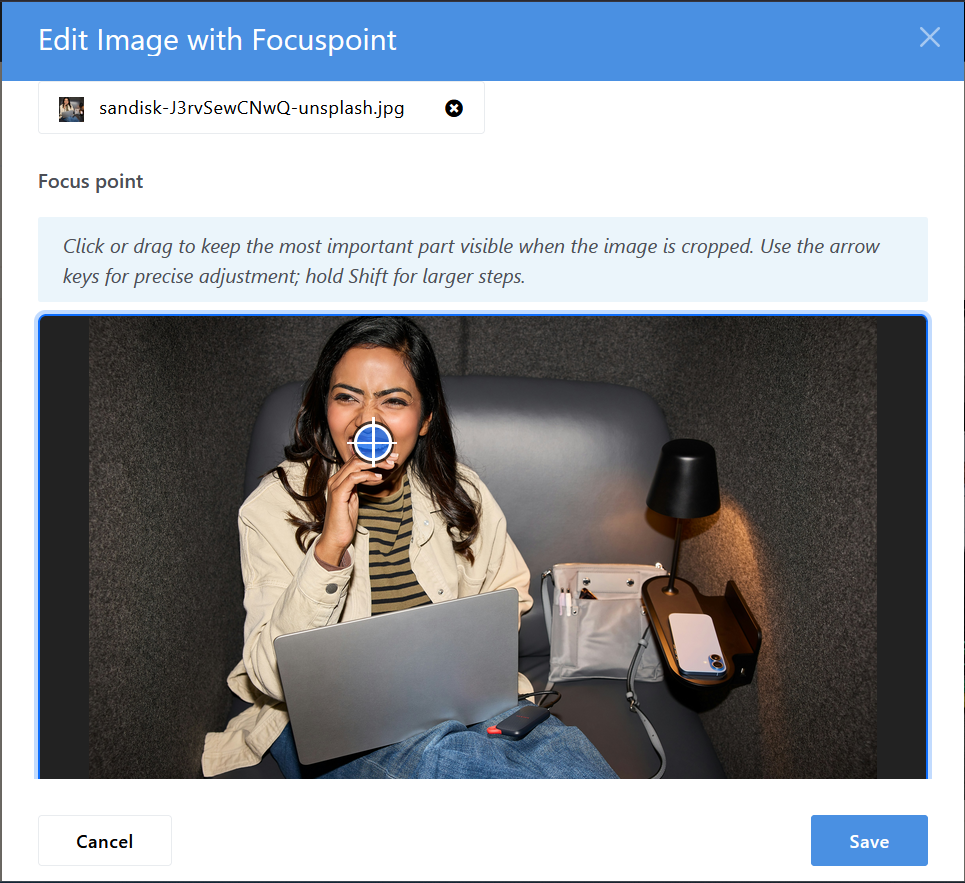
Image with Focuspoint lets editors choose the most important part of an image — a face, product, object or other point of interest — and keeps that area visible when the image is responsively cropped.
The package includes three focus-point enabled blocks:
- Image with Focuspoint — display a single responsive image with precise control over its focal point.
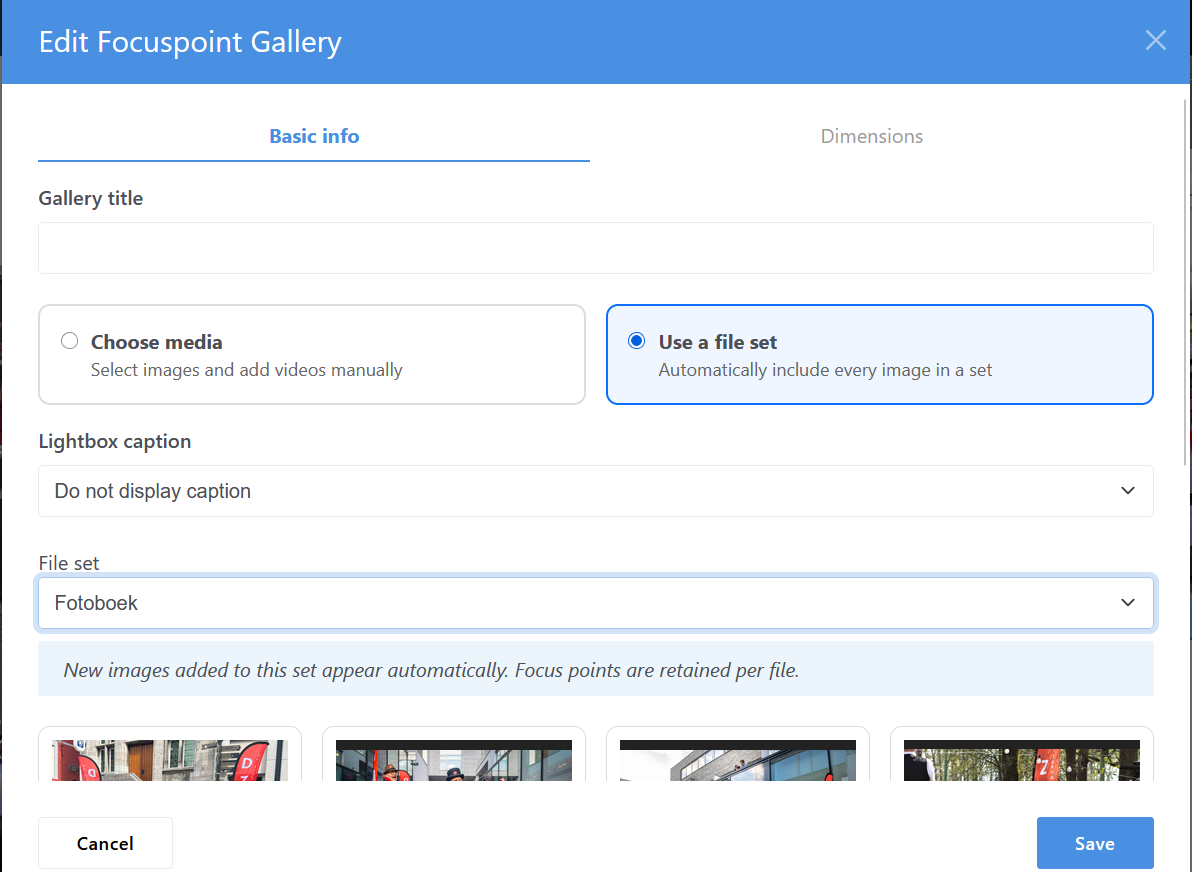
- Focuspoint Gallery — create responsive image and video galleries with individually configured focus points and a built-in lightbox.
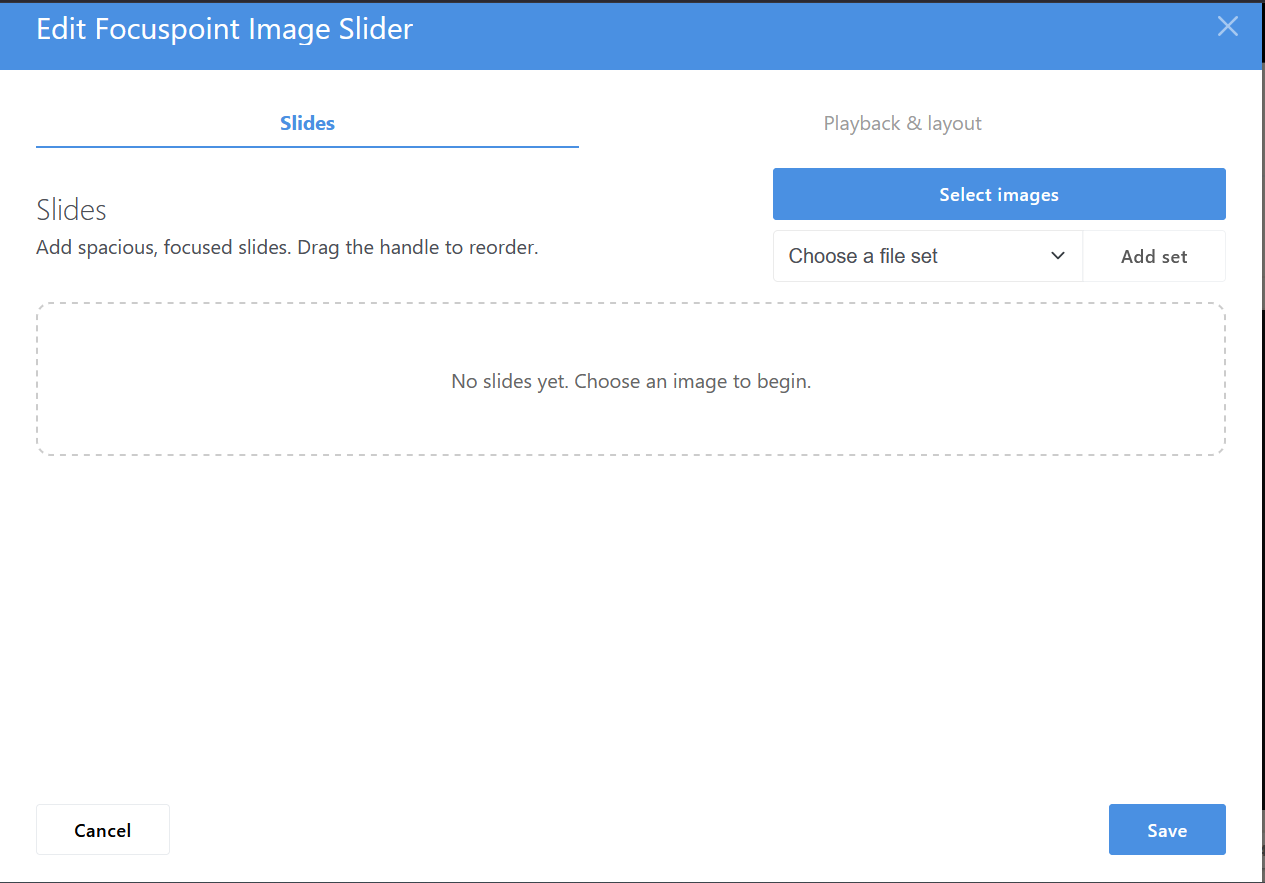
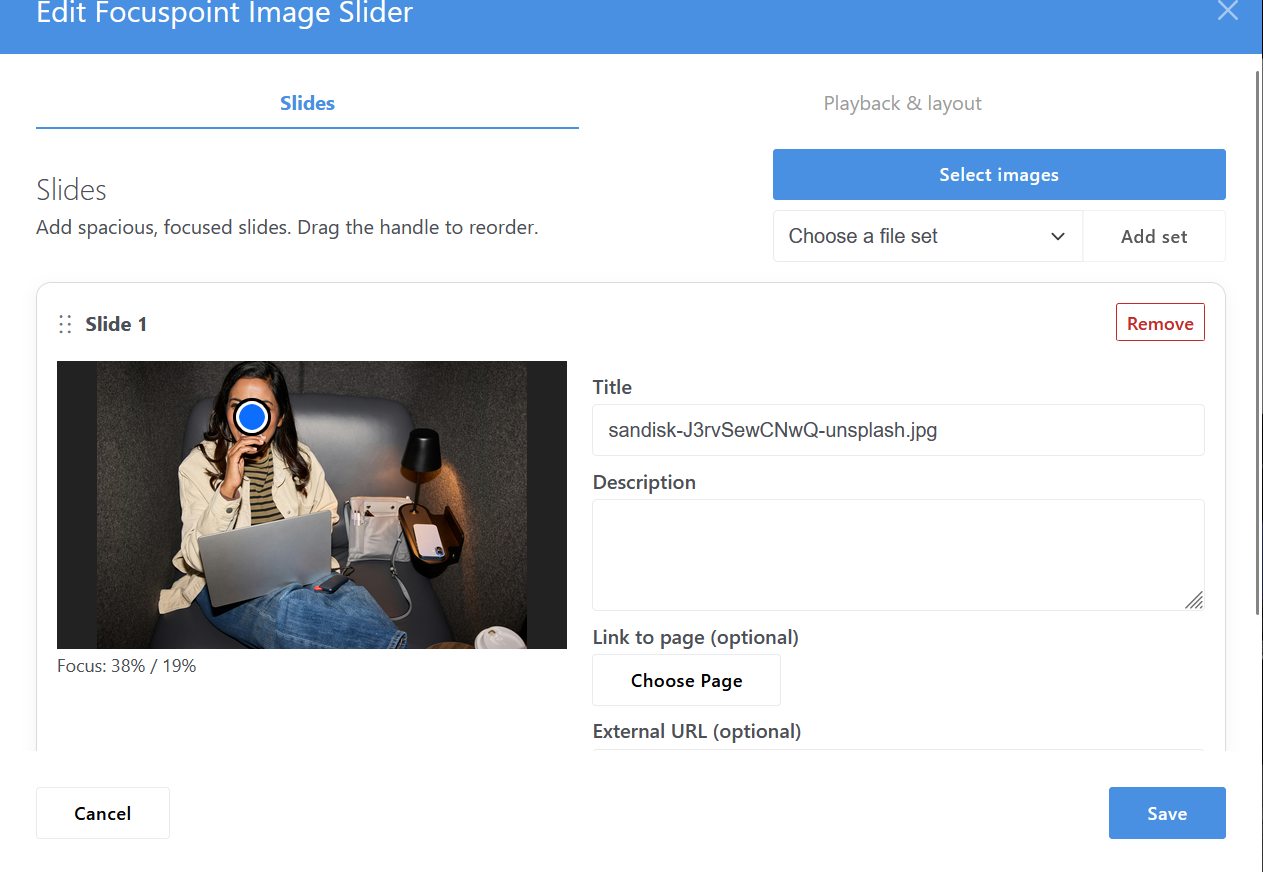
- Focuspoint Image Slider — build responsive image sliders with focus points, captions, links and configurable playback.
Image with Focuspoint
The original block provides a simple visual editor for positioning the focal point of an image.
Click or drag directly on the preview to choose the important part of the image. The frontend uses modern CSS object-fit and object-position, keeping the selected area visible as the image adapts to different screen sizes.
Features include:
- Visual click-and-drag focus-point editor
- Keyboard adjustment for precise positioning
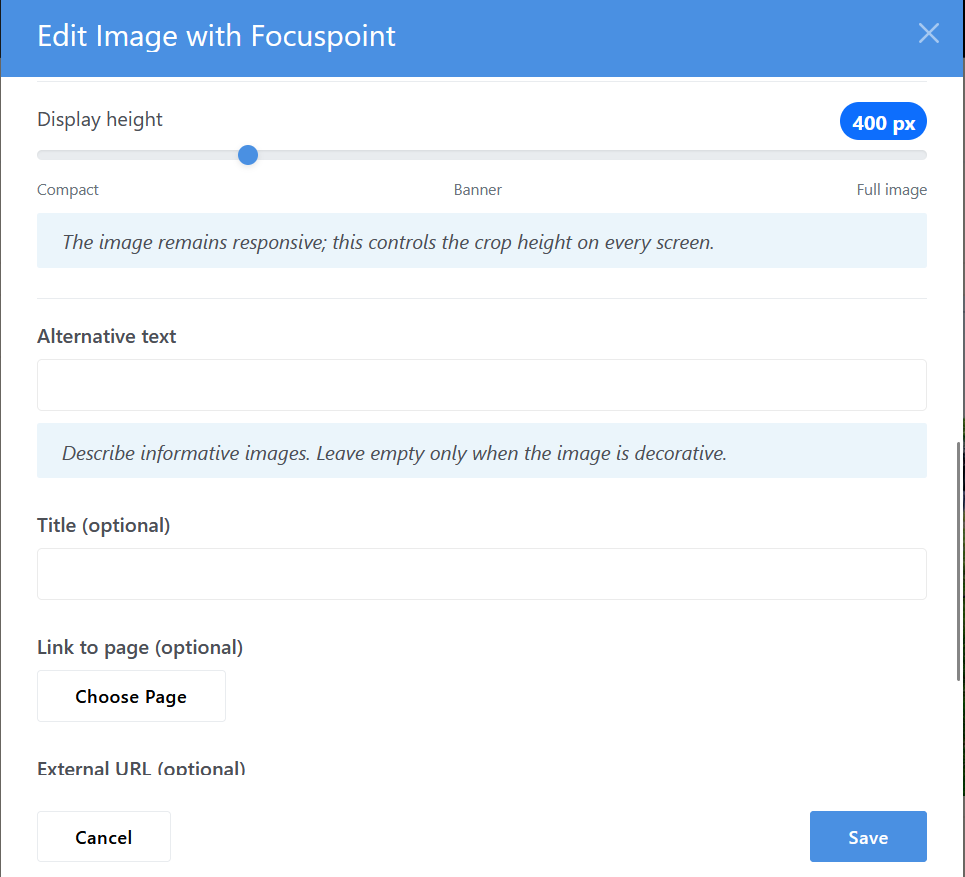
- Configurable responsive image height
- Internal Concrete CMS page links
- External URL support
- Alternative text and image title fields
- Lazy loading and asynchronous image decoding
- Native CSS implementation — no jQuery FocusPoint dependency
Focuspoint Gallery
Create responsive galleries while keeping control over the crop of every individual image.
Images can be selected directly from the Concrete CMS File Manager or loaded from an existing file set. Each image gets its own independently configurable focus point.
The gallery also supports YouTube and Vimeo videos, allowing images and videos to live together in the same gallery.
Features include:
- Multiple image selection
- Concrete CMS file set support
- Individual focus point for every image
- YouTube and Vimeo videos
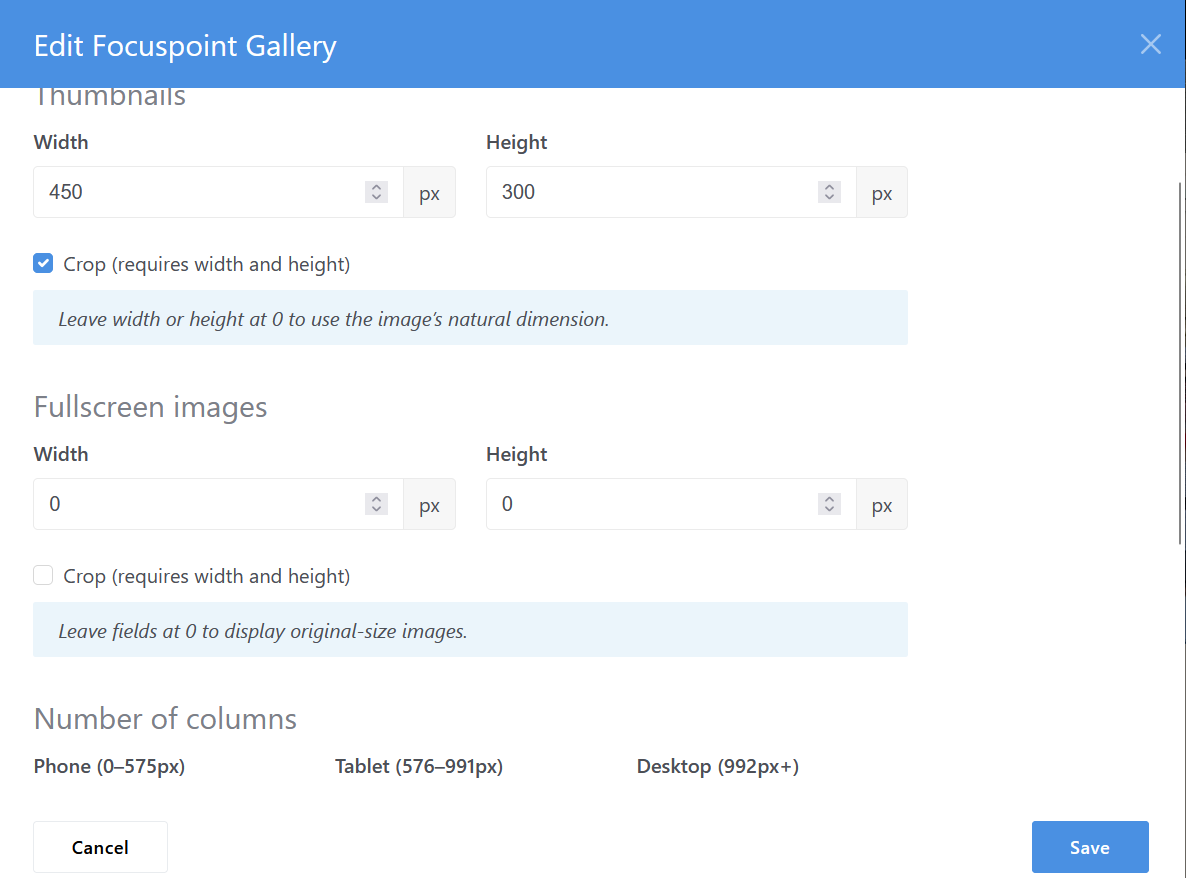
- Responsive column configuration for phone, tablet and desktop
- Configurable thumbnail dimensions
- Optional thumbnail cropping
- Adjustable spacing
- Optional thumbnail captions
- Automatic duplicate-image prevention
- Full-screen responsive lightbox
- Previous/next navigation
- Keyboard navigation
- Touch-swipe support on mobile
- Privacy-enhanced YouTube embeds
Focus points affect the gallery thumbnails only. Inside the lightbox, images are shown as completely as the available screen space allows.
Focuspoint Image Slider
Build responsive sliders using the familiar functionality of a traditional Concrete CMS image slider, with focus-point control added to every slide.
Select several images at once or populate the slider from a Concrete CMS file set. Slides can then be reordered using drag and drop.
Each slide can contain:
- Its own focus point
- Optional title
- Optional description
- Internal Concrete CMS page link
- External URL
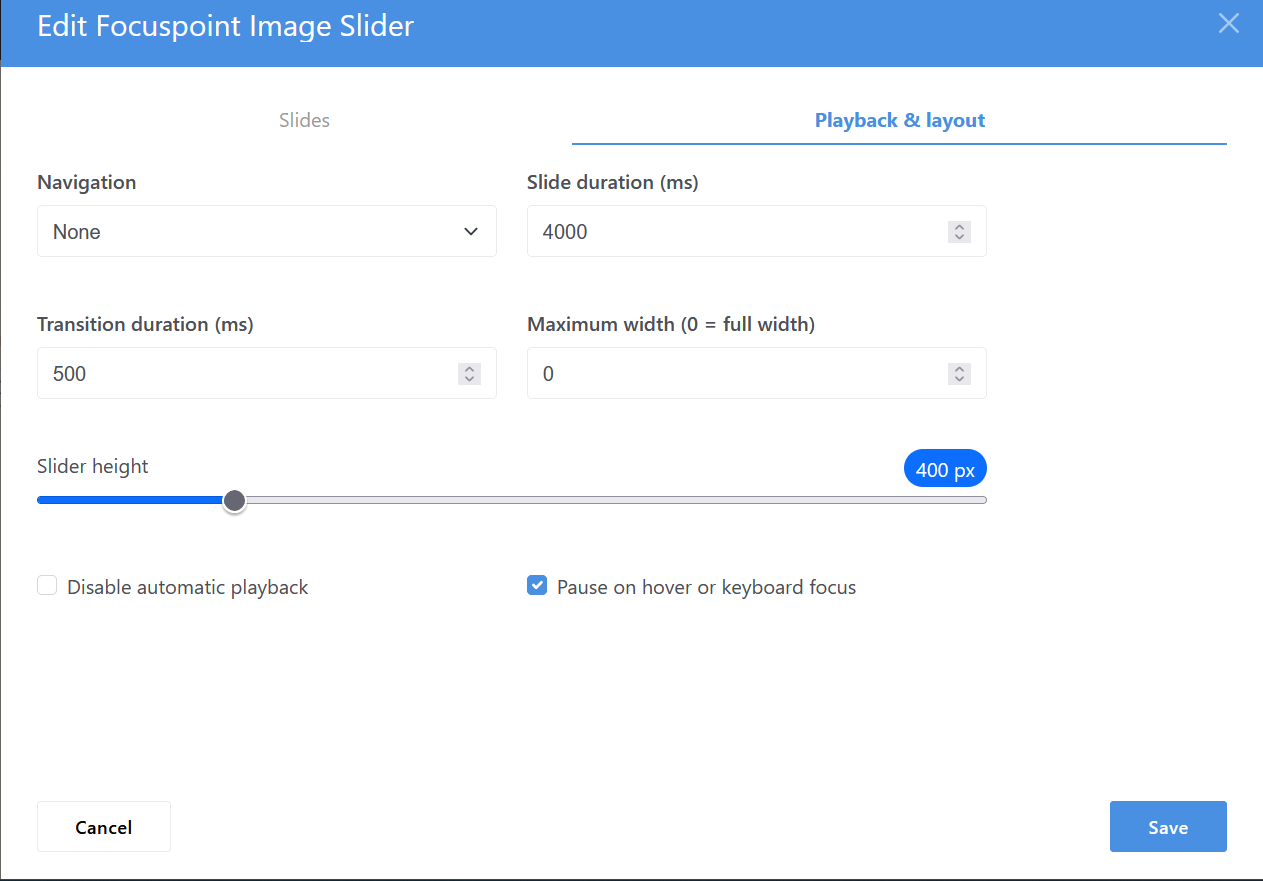
Slider options include:
- Configurable height
- Configurable maximum width
- Slide duration
- Transition speed
- Automatic playback
- Pause on hover or keyboard focus
- Arrow navigation
- Pagination dots
- Arrows and dots
- No navigation
The slider also respects the visitor's reduced-motion preference and includes keyboard navigation and accessible status announcements.
Built for Concrete CMS editors
All three blocks are designed to work naturally with the Concrete CMS editing experience.
Focus points can be configured immediately while adding or editing content, images can be selected through the File Manager, file sets can be reused, and internal links use the Concrete CMS sitemap selector.
No manual image cropping is required.
Choose the image. Choose what matters. Let the layout handle the rest.
Also Check Out

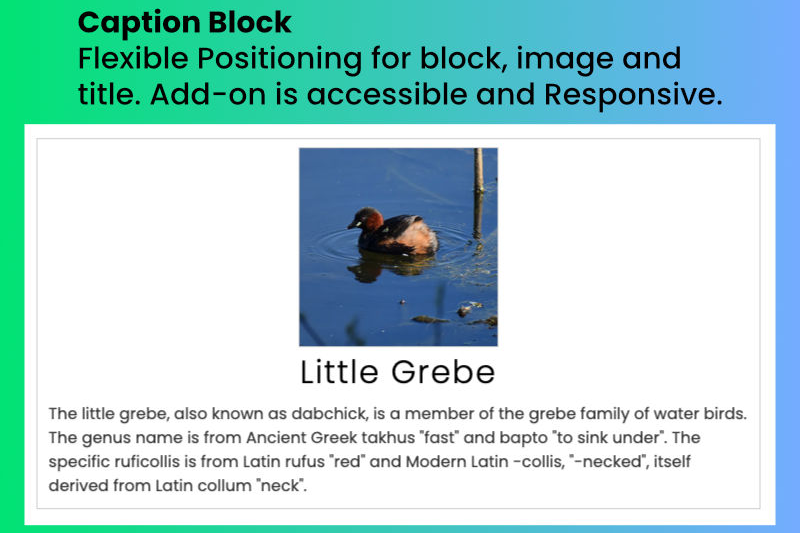
Image Captions
A caption block where an image caption paragraph is a short piece of text that provides context and information about an image.
Author

Also Check Out
Image Captions
A caption block where an image caption paragraph is a short piece of text that provides context and information about an image.