AI Integration - GPT 4 Turbo
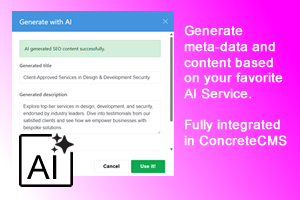
This add-on functions as a plugin for the AI Integration Addon and enables content generation using the ChatGPT 4.0 Turbo model.
GPT-4 Turbo Addon for AI Integration Addon
[NOTE !!!]
This addon required AI Integration ADDON!
Overview
The AI Integration GPT-4 Turbo addon extends the AI Integration suite for Concrete CMS by providing access to the advanced GPT-4 Turbo model. This enables even more powerful AI-driven content generation and SEO tools within your Concrete CMS environment.
Installation
-
Upload the Addon
- Place the
ai_integration_gpt4_turbofolder in your Concrete CMSpackagesdirectory (typically/packages/).
- Place the
-
Install via Dashboard
- Log in to your Concrete CMS dashboard as an administrator.
- Navigate to Extend Concrete > Add Functionality.
- Find AI Integration GPT-4 Turbo in the list and click Install.
-
Post-Installation
- The addon will register the GPT-4 Turbo generator and make it available in the AI Integration dialogs and tools.
- No additional composer or CLI steps are required.
Configuration
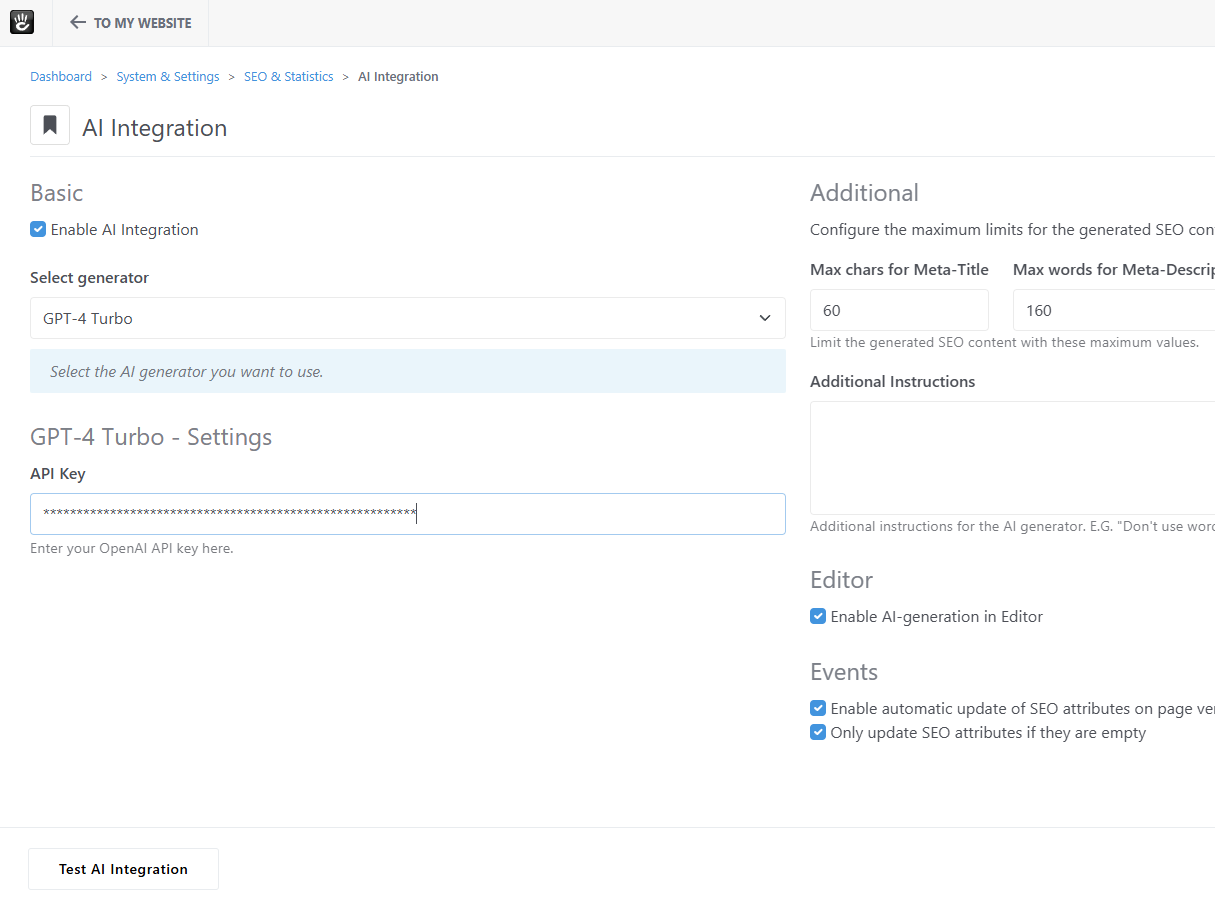
- API Keys: If required, enter your GPT-4 Turbo API key in the AI Integration settings page (usually under Dashboard > System > SEO > AI Integration).
- Permissions: Ensure users who need access to GPT-4 Turbo features have the appropriate dashboard permissions.
Features & Usage
1. Enhanced Content Generation
- The GPT-4 Turbo model is available as an option in AI-powered dialogs for content and SEO generation.
- When using the AI Integration features (such as Bulk SEO Updater or WYSIWYG editor integration), you can select GPT-4 Turbo as the generator for higher-quality results.
2. Bulk SEO Updater
- The GPT-4 Turbo model can be used for bulk SEO updates, providing more accurate and context-aware suggestions for metadata fields.
- Access this via Dashboard > System > SEO > AI Integration and select GPT-4 Turbo where available.
3. WYSIWYG Editor Integration
- When editing content, the GPT-4 Turbo model can be chosen for AI-powered content suggestions and improvements.
- Look for the AI button in the editor toolbar and select GPT-4 Turbo as the generator.
Troubleshooting
- If the GPT-4 Turbo option does not appear, ensure the base AI Integration addon is installed and up to date.
- Check API key configuration and network connectivity for external AI services.
- Clear Concrete CMS cache if new features do not appear after installation.
Support
For further help, contact the addon developer or open an issue in your project repository.
Also Check Out


Dashboard Favorites Manager
Manage your Concrete CMS dashboard favorites with more control and faster access. Adds a dashboard page to add, remove, live search, reorder, import, and export favorites, plus an optional toolbar star button for quick access.
Author

Also Check Out
Dashboard Favorites Manager
Manage your Concrete CMS dashboard favorites with more control and faster access. Adds a dashboard page to add, remove, live search, reorder, import, and export favorites, plus an optional toolbar star button for quick access.