Data Retention
Automate cleanup of form submissions, Express uploads, database logs and old page versions with independent retention settings, deletion previews and protected version history.
Data Retention helps you manage how long Concrete CMS keeps stored form submissions, database logs and old page versions. Configure each cleanup independently, review deletion previews and run cleanup through Concrete’s native task system.
Nothing is deleted by default. Every cleanup option starts disabled and requires explicit confirmation before activation.
Form submissions and database logs
Set separate retention periods for Express Form submissions, classic Form block submissions and Concrete CMS database logs. Choose 1, 2, 3, 6, 12, 24 or 36 months, or keep a data type indefinitely.
Express cleanup applies to entries belonging to entities used by installed Express Form blocks. Unrelated Express objects remain untouched. The Dashboard shows how many records currently qualify for deletion.
Optional Express upload cleanup
Uploaded files are kept by default. Optionally delete files attached to expired Express Form entries by authorizing a dedicated File Manager folder and accepting a separate permanent-deletion confirmation.
- Only directly contained files in the selected non-root folder are eligible. Subfolders and unlinked files are excluded.
- Files referenced by any remaining Express entry or recorded as used by Core pages and blocks are protected.
- Eligible files are deleted through Concrete’s file API, including their versions and thumbnails.
- The preview shows eligible file counts and warns about missing folders or unlinked files.
Use a dedicated upload folder. Core’s usage tracker cannot detect every hard-coded file URL or custom integration. Confidential uploads should use a non-public storage location with appropriate download permissions.
Old page versions
Choose how many recent versions to retain per page, from 10 to 1000. Optionally add a creation-age limit. A version is eligible only when it falls outside the retained count and satisfies the selected age limit.
- Latest, approved and future-scheduled versions are protected, even when this retains more than the configured minimum.
- Pages with an open workflow are skipped entirely.
- Stack and global-area histories require a separate opt-in.
- Trash, drafts, Dashboard/system pages, aliases and page templates are excluded.
- The preview shows eligible versions and affected pages.
Published page content is preserved. Disable the schedule for Core’s Remove Old Page Versions task when using this feature, because its independent rules may remove history this add-on would retain.
Scheduling and setup
Open Dashboard → System & Settings → Automation → Data Retention after installation. Configure the desired settings and enable Concrete’s scheduler for automatic execution. Form/log cleanup runs daily at 03:10; page-version cleanup has its own 03:40 schedule. Both tasks can also be started manually.
Existing retention periods are preserved when upgrading from 0.9.0. Both new deletion features remain disabled until explicitly enabled.
Requirements and support
- Concrete CMS 9.3.0 or newer.
- Version 0.9.3 tested with Concrete 9.3.9 and 9.5.7 on PHP 8.2 and 8.4.
- No additional add-ons or separately installed libraries required.
- Free and open source under the MIT license.
- Support through GitHub Issues.
Back up your database and site files before enabling cleanup. Deletion is permanent. Delivered emails, external server logs and backups need separate retention rules. Configuring retention periods does not establish legal compliance.
Also Check Out
Contacts
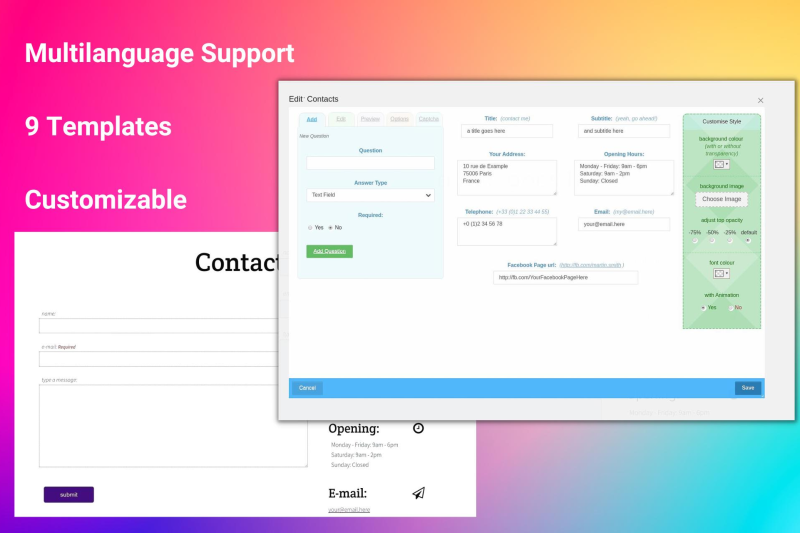
The Multilanguage Contact Forms add-on revolutionizes the way you connect with your website visitors.
Author

Also Check Out
Contacts
The Multilanguage Contact Forms add-on revolutionizes the way you connect with your website visitors.